How to move from ConsignCloud to ResaleOS
The short version: you don't have to do this. Our team moves ConsignCloud shops to ResaleOS for you, every week. You add us to ConsignCloud for a morning, we bring everything across (including every location), and you're taking sales on ResaleOS by lunch. That's the whole story.
The easy way — let us do it
Book a free 15-minute call. We'll walk you through it together: you add one of our team members to ConsignCloud (the same way you'd add a new employee), and we do everything else — every consignor, every item, every balance, every customer, every store credit, every location. Free with any paid ResaleOS plan, and you don't have to learn a single technical thing.
Book a free 15-minute call
Pick a quiet morning that works for you. Mondays and Tuesdays before the shop gets busy are best. You don’t need to prepare anything.
On the call we'll ask a few easy questions: how many consignors and locations you have, whether you use Shopify or Square with ConsignCloud, and whether you use customer store credit or loyalty points. That's it.
Add one of our team members to ConsignCloud
Exactly the same as adding a new employee. We send a one-page sheet with screenshots so you can’t go wrong. It takes about a minute.
In ConsignCloud: open Settings → Users → add a new user.
Type the name and email we give you. Give them the highest role you have available so we can see reports and consignor accounts. Save. Done.
On the Basic plan and already at your 3-user limit? No problem — either bump up to Pro for a day (proratable), or remove one unused user temporarily and add us in their place. Either way, it's back to normal by lunch.
Please don't give us your own password. Always add us as a new user. That way you can see exactly what we did, and you can remove us with one click when we're done.
Have coffee while we do the work
A real person on our team — not a script — logs in and brings everything across. You can keep going about your morning.
Here's what comes across, with no input from you:
- Every consignor, with their contact details, splits and the exact balance you owe them today — across every location.
- Every active item on your floor, with its photos (we pull them from Shopify if that's how you store them, or from ConsignCloud's export if not).
- The full history of what's sold, when, to whom, and how much each consignor earned.
- Every payout — checks, ACH, store credit — exactly as it was. Plus the saved bank details we move across so no consignor has to re-enter anything.
- Every customer, including loyalty points, store credit balances, and tax-exempt status.
- All your locations, mapped one-to-one in ResaleOS. Each one can have its own POS, label printer and connected sales channels.
We'll send you a quick text or email when we're ready for you. Usually around lunchtime.
Hop back on a call — we check the numbers together
We put your ConsignCloud numbers and your new ResaleOS numbers side by side. You confirm they match. Then you remove our access, and you’re live.
We check five things with you, on screen:
- Total number of consignors
- Total number of active items on the floor
- Total dollars you owe consignors today
- Your year-to-date sales
- Item counts per location (if you run more than one)
Each of those should match ConsignCloud exactly. If anything looks off, we fix it before you go live — nothing leaves this call until you're happy.
Once you say “looks good”, you go back into ConsignCloud and remove our user. You're now live on ResaleOS — and your $1.79 ACH fees stop hitting your card on the very next payout.
Not ready to switch fully? That's fine.
You can keep ConsignCloud running as your main system for a week or two while you get comfortable in ResaleOS. When you're ready to switch fully, we do a quick top-up on a Sunday night and you open Monday morning on ResaleOS. You never have a day where the shop is offline.
The self-serve version, in plain English
Some shop owners like doing things themselves — totally fair. ConsignCloud makes this easier than most because every table view exports to Excel. Plan on about an hour or two of clicking. You don't need to be technical; you just need to be on a plan that lets you see reports.
Sign in to ConsignCloud and open the table views
Open ConsignCloud in your web browser. You'll work in two places: the main table views (for consignors, items, sales, customers) and the Reports / Data Explorer section (for payouts and account balances).
If you don't see Reports or Data Explorer in the sidebar, your user isn't at the level needed to run reports. Ask whoever owns the shop to bump you up temporarily, or to run the exports themselves — it only takes an hour.
Export each table to a spreadsheet
For each table or report below, open it, make sure all the columns you care about are showing, then click the Export to Excel button. Save them all to the same folder on your desktop.
The core exports
- Accounts / Vendors — your full consignor list with contact details, splits, and current balances.
- Inventory — Active items only — everything currently on your floor (skip the out-of-stock filter for now — ResaleOS can handle history separately).
- Sales — your transaction history with totals, tax, payment method.
- Customers — your buyer list, with loyalty IDs and store credit balances.
- Payouts (Data Explorer) — every check or ACH payout you've made, with consignor and amount.
- Account Activity (Data Explorer) — the running history behind every consignor balance.
Try to run them all in the same hour. Each export is a snapshot of that moment. If you export consignors on Monday and balances on Wednesday, the numbers won't quite match. Doing them back to back after close keeps everything tidy.
Sort out your item photos
ConsignCloud stores photos either inside ConsignCloud itself or inside your Shopify, depending on how you set things up. You have three options:
- If you use Shopify with ConsignCloud: your photos are already there. We pull them automatically once you connect Shopify to ResaleOS — you don't do anything.
- If photos live in ConsignCloud: reach out to ConsignCloud support and ask for a full photo export through their API. We can write the email for you — just ask.
- If neither works: skip photos. ResaleOS's AI catalog will start snapping new ones as you next handle each item.
Put everything in one folder
Make a new folder on your desktop called something like consigncloud-export. Drag every saved spreadsheet into it.
In the next step you'll pick a path: upload the spreadsheets into ResaleOS one by one yourself, or zip the whole folder and email it to us. (We'll walk you through both — pick whichever feels easier.)
Now pick one: upload it yourself, or send it to us
With your folder ready, you have two choices. Either one is totally fine — pick whichever feels easier.
Upload them yourself
Sign in to your ResaleOS account. You'll upload your spreadsheets one at a time, on the matching page for each one. No zipping needed — keep the loose files you saved in step B.
Shortcut — do all three at once. Already signed in? Open the one-page importer — drag every ConsignCloud file in together and our AI matches each column for you. The per-page steps below still work, but the importer is faster.
- Consignors: open Accounts, click the ⋯ menu in the top-right, pick Import from Excel/CSV, and drag in your Accounts / Vendors spreadsheet. ResaleOS uses AI to match up the columns, you eyeball them, click Import.
- Customers (if you ran it): same Accounts page, same ⋯ → Import from Excel/CSV, drag in your Customers spreadsheet. Consignors and customers live in the same place in ResaleOS.
- Inventory items: open Products, same ⋯ → Import from Excel/CSV, drag in your Inventory spreadsheet.
- Sales history (optional): open Sales, same ⋯ → Import from Excel/CSV, drag in your Sales spreadsheet. Most shops skip this — ConsignCloud stays as the historical record.
Photos can't be bulk-uploaded through the app. If you went with the Shopify route in step C they come across automatically; if you went with the ConsignCloud support route, forward us the response and we'll re-host them onto your items.
Don't have a ResaleOS account yet? Create one in 30 seconds — card required at signup.
Or send it to us and we'll do it
Zip the folder first. On Windows: right-click the folder, choose Send to → Compressed (zipped) folder. On Mac: right-click the folder, choose Compress. You'll end up with one file ending in .zip.
Email it to info@resaleos.co with the subject line ConsignCloud migration. We handle the consignor, customer, inventory and sales imports for you, chase down your photos, and reply when it's done — usually within a few hours. Same price (free), zero clicking on your end.
If the zip is too big for email, reply to our welcome email and we'll send a private upload link.
Either way, we hop on a quick call to check the numbers
Whether you uploaded yourself or sent the folder our way, we always finish with a short call to walk through ResaleOS and confirm your numbers match ConsignCloud exactly. We won't mark you as “live” until you're happy.
The questions we get asked most
How long does it take?
For most shops, a single morning. You add us in the morning, you're selling on ResaleOS that afternoon. Multi-location shops sometimes take a full day — but the work is on us.
Will my consignors notice?
They shouldn't. Their balance is the same, their items are the same, their payout schedule is the same. We can email each consignor about their new self-serve portal if you'd like — completely optional.
What about item photos?
If you use Shopify with ConsignCloud, your photos come across automatically. If not, we ask ConsignCloud support to send them on your behalf and re-host them onto your items.
Do the ACH payout fees actually go away?
Yes — immediately. ConsignCloud charges $1.79 per ACH payout. ResaleOS uses Stripe ACH and there's no per-payout fee. The day you switch is the last day you pay that fee.
Will my books still match?
Yes. We confirm the dollar amounts in ResaleOS match ConsignCloud to the penny before you go live. Your bookkeeper sees no surprises.
What if I get stuck?
We're a real team — call, email, or text us. We answer quickly. And we always do a follow-up call a few days after you're live to make sure the shop is running the way you want.
Ready when you are.
Book a free 15-minute call. We'll agree on a morning, you add us to ConsignCloud for a couple of hours, and you're live on ResaleOS by lunch — with unlimited locations and ACH payouts included. Free with any paid plan.
Related Articles
The register
How the point of sale works — cart, tenders, drawers & receipts
The whole register, in the order a sale moves through it: scanning and pricing the cart, tax and surcharges, split tender and change due, card readers, layaway and gift cards, then drawer counts, register lock and receipts.
Rose → ResaleOS
How to move from Rose (Consignor Connect) to ResaleOS
Free, done-for-you move from Rose to ResaleOS. Rose runs on Square, so you connect Square with one click and your items, photos and sales arrive on their own. Rose's Contract List brings every consignor, split and balance, and each item is linked back to its consignor. Live by lunch, with your Square register still ringing.
Website builder
How the ResaleOS website builder works
Build a real website around your ResaleOS shop — clone your old site, start from a template, or describe it to AI. Plus favicon, social sharing, SEO and search-engine verification.
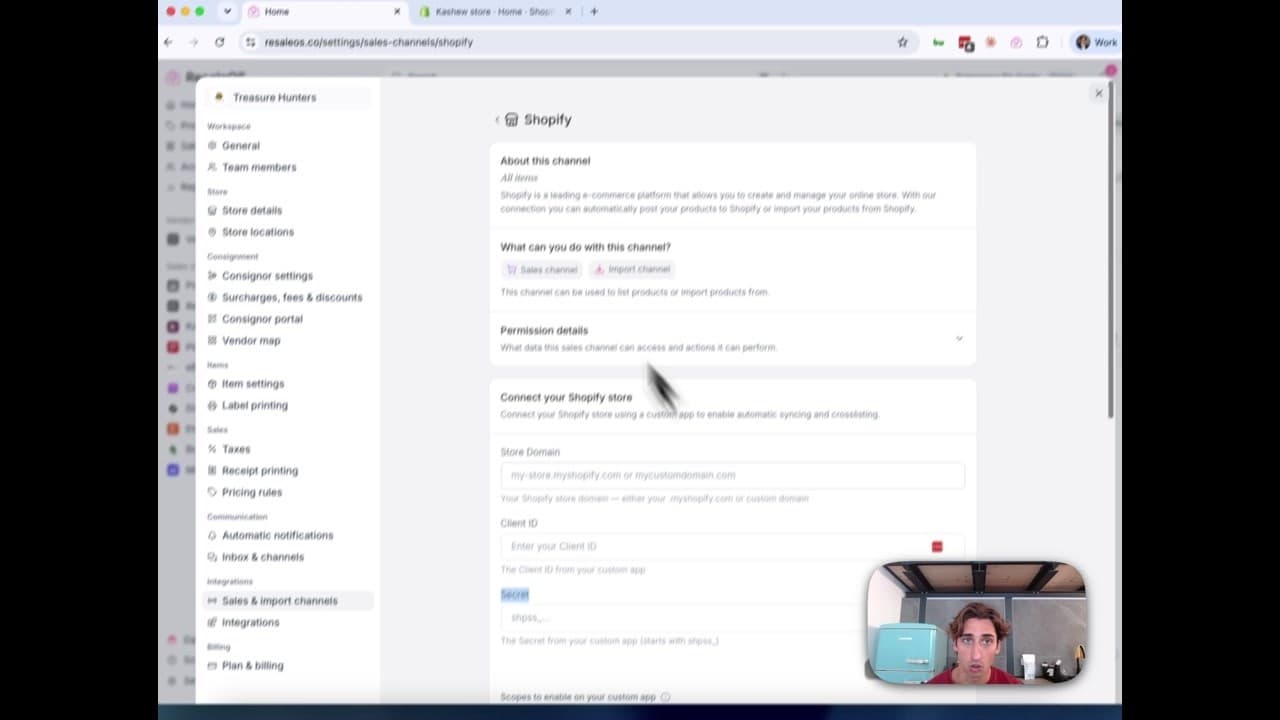
How to Connect Your Shopify Store to ResaleOS
Create a Shopify custom app, paste in the scopes ResaleOS gives you, and connect your store in a few minutes.
Print payout checks
How check printing works — bank accounts, templates & voucher stubs
Print consignor payout checks on pre-printed bank stock or blank security paper, with an itemised payout stub on the same sheet. Bank accounts and check numbering, the template editor, printing a batch, and tracking a check until it clears.
Vendoo → ResaleOS
How to move from Vendoo to ResaleOS
Moving from Vendoo takes about an hour, and nothing you have live gets re-listed or delisted. Connect the marketplaces you already sell on so your listings arrive with every photo, upload one export file from Vendoo for your drafts, labels and costs, and keep cross-listing from ResaleOS.
AI image editing
How image editing works — background removal, AI staging & batches
Remove backgrounds, add shadows, restage a product from a prompt, crop, colour-correct and watermark — on one photo or a whole batch. Which AI models run each job, what counts against your monthly photo edits, and how recipes replay your house style.
QuickBooks integration
How the QuickBooks integration works — sales, payables & payouts
Connect QuickBooks Online once and every sale, refund, consignor payable, payout and inventory movement books itself as the right kind of QuickBooks document. How to connect, what maps to what, and what deliberately does not sync.