How to Create and Crosslist Products on ResaleOS
This guide teaches you how to create a product in ResaleOS and crosslist it to various marketplaces using AI tools.
Create a product and cross-list it with ResaleOS
This guide walks you through creating a product in ResaleOS, letting AI do the heavy lifting, and posting to multiple marketplaces in one go.
Before you start
- Connect your sales channels (eBay, Etsy, Poshmark, Mercari, Shopify, Facebook Marketplace, Pinterest, etc.).
- Have clear photos of your item ready. Multiple angles help the AI identify it better.
- Know your rough price target or be ready to use comps inside ResaleOS.
Step 1: Start a new product
- Click the Products tab.
- Click Create product.
Step 2: Upload photos and let AI catalog your item
- Upload your item photos.
- ResaleOS AI will analyze the images and auto-fill as many fields as possible:
- Title
- Description
- Category
- Dimensions and weight (if it can infer them)
Tip: If the AI misses something, that’s normal. You can edit any field it fills in.
Step 3: Review and complete product details
- Title: Refine the AI title to be accurate and searchable. Example: “Oval Tulip Marble Dining Table.”
- Description: Keep it clear. Include material, color, style, any flaws, and what’s included.
- Category: Confirm it matches your item. Adjust if needed.
-
Price:
- If empty, use the pricing/comps panel to see how similar items are priced online.
- Click any comp to open it and compare.
- SKU: Click to Generate an SKU, or enter your own format.
- Inventory by location: Enter quantity per warehouse (e.g., “2 in San Francisco,” “1 in New York”).
- Condition: Choose the best fit (e.g., Excellent). Add notes if helpful.
- Dimensions and weight: Verify what AI suggested. Correct if needed.
- Attributes: Add relevant details for the category (material, color, style, brand, era, etc.).
Tip: Accurate dimensions and weight help get the right shipping quotes with carriers (FedEx, GoShare, UShip) and reduce return risk.
Step 4: Choose where to post (sales channels)
- Select the channels you want to post to (e.g., Etsy, Pinterest, and any others you’ve connected).
- Optionally add channel-specific instructions, such as:
- “Increase price by 10% on [Channel].”
- “Append this line to the description on [Channel].”
Note: Marketplace rules vary. Only include content (like phone numbers or external links) where allowed by that marketplace.
Pro tip: You can set defaults for these instructions in Settings so they apply automatically every time you list.
Step 5: Add a consignor (optional)
- If this item is consigned, choose the Consignor from the dropdown.
- Adjust the consignment terms for this item if needed.
- If you don’t see the consignor, click to add them quickly from the side modal, then select them.
Step 6: Create the product and watch it post
- Click Create product.
- ResaleOS will begin posting to your selected channels.
- You’ll see posting progress and can open the live listing on each channel once it’s created.
Tip: Give each live listing a quick look. Make sure photos, price, shipping, and condition read correctly on every marketplace.
Practical tips
- Photos: Use good light, neutral background, and capture any flaws honestly.
- Titles: Front-load key terms buyers search for (brand, model, material, size).
- Pricing: Start with comps, then adjust for condition, region, and shipping complexity.
- Shipping: Large or heavy items benefit from accurate measurements for carrier quotes.
- Consistency: Set your default channel rules in Settings to save time and keep pricing consistent across marketplaces.
Frequently asked questions
What is ResaleOS?
ResaleOS is a platform that helps sellers create and manage product listings across multiple marketplaces efficiently.
How does the AI feature work in ResaleOS?
The AI analyzes uploaded images to auto-fill product details like title, description, and category, making listing easier.
What sales channels can I connect to ResaleOS?
You can connect various channels like eBay, Etsy, Poshmark, Mercari, Shopify, and more.
Can I edit the AI-generated product details?
Yes, you can edit any AI-generated fields to ensure accuracy and improve searchability.
What should I prepare before creating a product in ResaleOS?
Have clear photos of your item, knowledge of your price target, and connect your sales channels before starting.
Related Articles
Website builder
How the ResaleOS website builder works
Build a real website around your ResaleOS shop — clone your old site, start from a template, or describe it to AI. Plus favicon, social sharing, SEO and search-engine verification.
Add a video
How to add a video to a product
Upload a clip up to 500MB in almost any format; ResaleOS converts it and sends it to every channel that accepts video.
Bulk edit
How to bulk edit products
Change category, price, brand, tags, consignor or shipping details on thousands of products at once, in a spreadsheet-style grid.
Possible duplicates
How to find and merge duplicate items
Find items entered twice — same SKU, title, or photo — and merge them without losing a listing, a sale, or a consignor payout.
What's it worth?
How to find what an item is worth
Pull real sold comps and live listings from twenty-plus marketplaces and get a suggested price for any item, right from the product page.
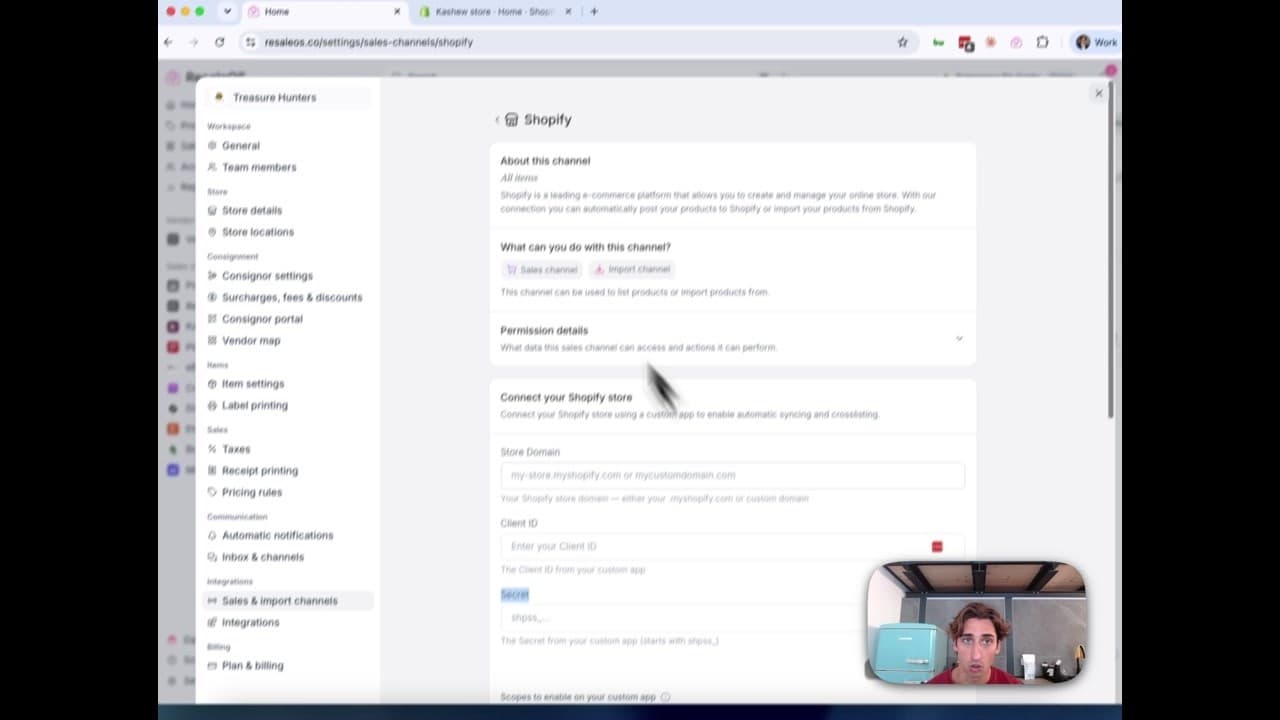
How to Connect Your Shopify Store to ResaleOS
Create a Shopify custom app, paste in the scopes ResaleOS gives you, and connect your store in a few minutes.
Vendoo → ResaleOS
How to move from Vendoo to ResaleOS
Moving from Vendoo takes about an hour, and nothing you have live gets re-listed or delisted. Connect the marketplaces you already sell on so your listings arrive with every photo, upload one export file from Vendoo for your drafts, labels and costs, and keep cross-listing from ResaleOS.
AI image editing
How image editing works — background removal, AI staging & batches
Remove backgrounds, add shadows, restage a product from a prompt, crop, colour-correct and watermark — on one photo or a whole batch. Which AI models run each job, what counts against your monthly photo edits, and how recipes replay your house style.

Get started
Put what you've learned into practice. Start listing, managing inventory, and selling across channels today.