How to move from Vendoo to ResaleOS
Easier than you'd think, and far less risky. Nothing you currently have live gets re-listed, relisted at a new price, or delisted — your eBay, Poshmark, Etsy and Mercari listings stay exactly where they are. You're just moving where you manage them from. Two steps do almost all the work: connect the marketplaces you already sell on, then upload one export file from Vendoo. Most sellers with a few hundred items are done in an afternoon.
Read this bit first
Connect your marketplaces before you upload the Vendoo file. Vendoo's export only contains one photo per item. Your marketplaces have all of them. So if you connect eBay, Poshmark, Etsy or Shopify first, your live items arrive complete — every photo, every description — and the Vendoo file is then only used to fill in what the marketplaces don't know: your drafts, your sourcing labels, your costs, and your warehouse locations. Do it the other way round and you'll be re-uploading photos by hand.
Connect the marketplaces you already sell on
This is the step that does the heavy lifting. Your live listings come into ResaleOS with their full photo galleries, and ResaleOS links to each existing listing rather than creating a second one.
In ResaleOS: open Settings → Sales channels, connect each marketplace, then open Inventory sync and hit Import products.
eBay, Etsy, Shopify and Mercari connect with a single sign-in; Poshmark, Depop, Whatnot, Chairish, Ruby Lane, Square and the rest are all there too, and each one walks you through it. Open Inventory sync after connecting and click Import products — ResaleOS creates a product for every live listing, with all of its photos, and links it to the listing that already exists.
You'll see a running count of items Imported, Updated and Skipped as it works. Big shops take a few minutes; you can close the tab and come back.
Nothing is published or removed by importing. Bringing your listings in is read-only — no listing is recreated, re-priced, bumped or ended. Your item stays live at the same URL with the same watchers and the same start date. You choose later, item by item, when to push a change out.
Do this before the Vendoo upload, not after. When the Vendoo file lands on an item that already came from a marketplace, ResaleOS deliberately treats Vendoo as the weaker source: it fills in blanks and never overwrites your title, price, status, tags or your cover photo. That only works in your favour if the marketplace import happened first.
Already have some products in ResaleOS?
On each channel's settings page there's a Find listings already live on… card. Click Scan now and ResaleOS looks for listings on that marketplace that are the same item as something already in your catalogue, so cross-listing later doesn't create duplicates. Anything it isn't sure about waits for you in Confirm channel matches — nothing is linked until you say so. Do read each one before confirming: linking is final.
Export your items out of Vendoo
One file, one click. You want the full export — drafts, active and sold items all come out on a single sheet.
In Vendoo, open Settings and look for the Export option. Run the full export of your items and save the file to your desktop. It downloads with a name like vendoo-full-2026-08-16-yourshop.xlsx.
Leave the file exactly as it downloaded — don't open it and re-save it, rename the columns, or split it up. ResaleOS recognises Vendoo's own layout on sight, which is what lets you skip the whole column-matching step.
Only one photo per item is in that file. This is a Vendoo limitation, not a ResaleOS one — its export carries a single thumbnail per item even when the item has ten photos on eBay. Step 1 is how you get the rest. For anything that was never listed anywhere (drafts), you'll need to add photos yourself after import.
Upload it into ResaleOS
Use the migration importer, not the Products import. It recognises Vendoo files and pre-maps every column for you.
- Open the migration importer in your ResaleOS dashboard.
- Pick Vendoo from the list of platforms.
- Drag your vendoo-full-… file into the drop zone. ResaleOS reads it, cleans it up and shows you a summary of what it found — how many items, how many active, how many sold.
- Look the summary over, then click through to import. Nothing is written until you confirm.
What ResaleOS quietly fixes on the way in
- Garbled accents. Vendoo's export mangles anything that isn't plain English — “château” instead of “château”, “L’Echalote” instead of “L'Echalote”. We repair those so the mess never reaches your listings.
- Repeated rows for one item. Vendoo exports a multi-quantity item as one row per unit. Those collapse into a single product with the correct quantity on hand — not five copies of the same thing.
- Reused SKUs. If you gave two genuinely different items the same number, both survive; the second one keeps your number with a
-2on the end so it stays searchable and nothing is lost.
Check it over — here's exactly what to expect
Two or three surprises are normal, and they're all listed here. Worth reading before you go looking for a bug.
What comes across from the Vendoo file
- Title, description, brand, condition, category, price and cost of goods.
- SKU, quantity on hand, tags, colours and your warehouse location (it becomes the item's shelf).
- Status — your drafts stay drafts, active stays active, sold stays sold — plus the date you listed it.
- Your sourcing labels and internal notes, kept on the item so you don't lose where a piece came from or what you paid a picker.
- For sold items: the sold date, which platform it sold on, and the sale price, fees and shipping cost as Vendoo recorded them.
Sold items arrive as sold items, not as revenue. Your past sales won't appear in ResaleOS reports, and that's deliberate: Vendoo fills in a sale price on only a minority of sold items, and where it does, the figure sometimes includes shipping or several units together. Booking that as income would put numbers in your reports you never actually made. Every figure Vendoo gave us is kept on the item for reference — and if you want real sales history in ResaleOS, email us and we'll backfill it from the marketplaces themselves, where the numbers are exact.
The “listed on” column doesn't connect anything. Vendoo tells us which marketplaces each item was live on, and we keep that on the item for reference — but a spreadsheet can't connect an account or claim a listing. Your real marketplace links come from step 1. If you skipped step 1, importing this file does not put anything up for sale anywhere.
Start listing from ResaleOS
From here on, new items go into ResaleOS and go out to every marketplace at once. When something sells, the others come down automatically.
List your next item in ResaleOS instead of Vendoo and push it out to your channels. Photograph it, let the AI write the title and description, get a price estimate from real marketplace comps, and cross-list it. That's the moment the switch actually happens — everything before it was just moving furniture.
Don't have a ResaleOS account yet? Create one in 30 seconds — card required at signup.
Keep Vendoo running for a couple of weeks
There's no rush to cancel. Because your listings never move or get recreated, running both side by side costs you nothing but the subscription. List your new items through ResaleOS, leave the old ones alone, and cancel Vendoo once you're confident. The one thing to avoid is editing the same item in both tools on the same day — pick one place to make changes from, and let the other one go quiet.
Send us the file and we'll handle it
Do step 2 — the Vendoo export — and email the file to info@resaleos.co with the subject Vendoo migration. We'll connect your marketplaces with you on a quick call, run the import, and tell you what to look at when it's done. It's free, and it usually takes us a couple of hours.
If the file is too big to email, reply to your welcome email and we'll send you a private upload link.
The questions we get asked most
How long does it really take?
If you have a hundred or so listings, about an hour — most of it waiting for the marketplace imports to finish. A few thousand items is still the same afternoon; the file size barely changes the work.
Will my live listings be affected?
No. Nothing is delisted, relisted, re-priced or bumped. Your listings keep their URLs, watchers, offers and start dates. ResaleOS only pushes a change when you tell it to.
Why did only one photo come in?
Vendoo's export contains one photo per item — that's all it gives out. Connect the marketplace the item is live on and the full gallery comes across from there. Items that were only ever drafts in Vendoo will need their photos added by hand.
Does my sales history come over?
Sold items come over marked as sold, with Vendoo's figures kept on the item — but they aren't booked as revenue, because Vendoo's sale prices are patchy and sometimes include shipping. Ask us and we'll backfill real sales from the marketplaces instead.
Do my drafts come across?
Yes — drafts import as drafts, so nothing accidentally goes live. They're the part of your catalogue only Vendoo knows about, which is a good reason to run the import even if your active listings all came in from the marketplaces.
What about my SKUs and sourcing notes?
Both come across. SKUs are kept as-is (reused numbers get a -2 suffix so nothing is merged), and your Vendoo labels, internal notes and warehouse locations all land on the item.
Can I import a CSV instead?
Yes — Vendoo's CSV and Excel exports both work, and either is recognised automatically. Just upload it as it downloaded, without editing the columns.
What if I get stuck?
Email info@resaleos.co or book a call — we're a small team and we answer quickly. If an import goes sideways it can be reverted, so you're never stuck with a mess.
Bring your catalogue over this afternoon.
Connect your marketplaces, upload one file from Vendoo, and keep selling. Free with any plan — and if you'd rather we did it, book a call and we will.
Related Articles
The register
How the point of sale works — cart, tenders, drawers & receipts
The whole register, in the order a sale moves through it: scanning and pricing the cart, tax and surcharges, split tender and change due, card readers, layaway and gift cards, then drawer counts, register lock and receipts.
Rose → ResaleOS
How to move from Rose (Consignor Connect) to ResaleOS
Free, done-for-you move from Rose to ResaleOS. Rose runs on Square, so you connect Square with one click and your items, photos and sales arrive on their own. Rose's Contract List brings every consignor, split and balance, and each item is linked back to its consignor. Live by lunch, with your Square register still ringing.
Website builder
How the ResaleOS website builder works
Build a real website around your ResaleOS shop — clone your old site, start from a template, or describe it to AI. Plus favicon, social sharing, SEO and search-engine verification.
Add a video
How to add a video to a product
Upload a clip up to 500MB in almost any format; ResaleOS converts it and sends it to every channel that accepts video.
Bulk edit
How to bulk edit products
Change category, price, brand, tags, consignor or shipping details on thousands of products at once, in a spreadsheet-style grid.
Possible duplicates
How to find and merge duplicate items
Find items entered twice — same SKU, title, or photo — and merge them without losing a listing, a sale, or a consignor payout.
What's it worth?
How to find what an item is worth
Pull real sold comps and live listings from twenty-plus marketplaces and get a suggested price for any item, right from the product page.
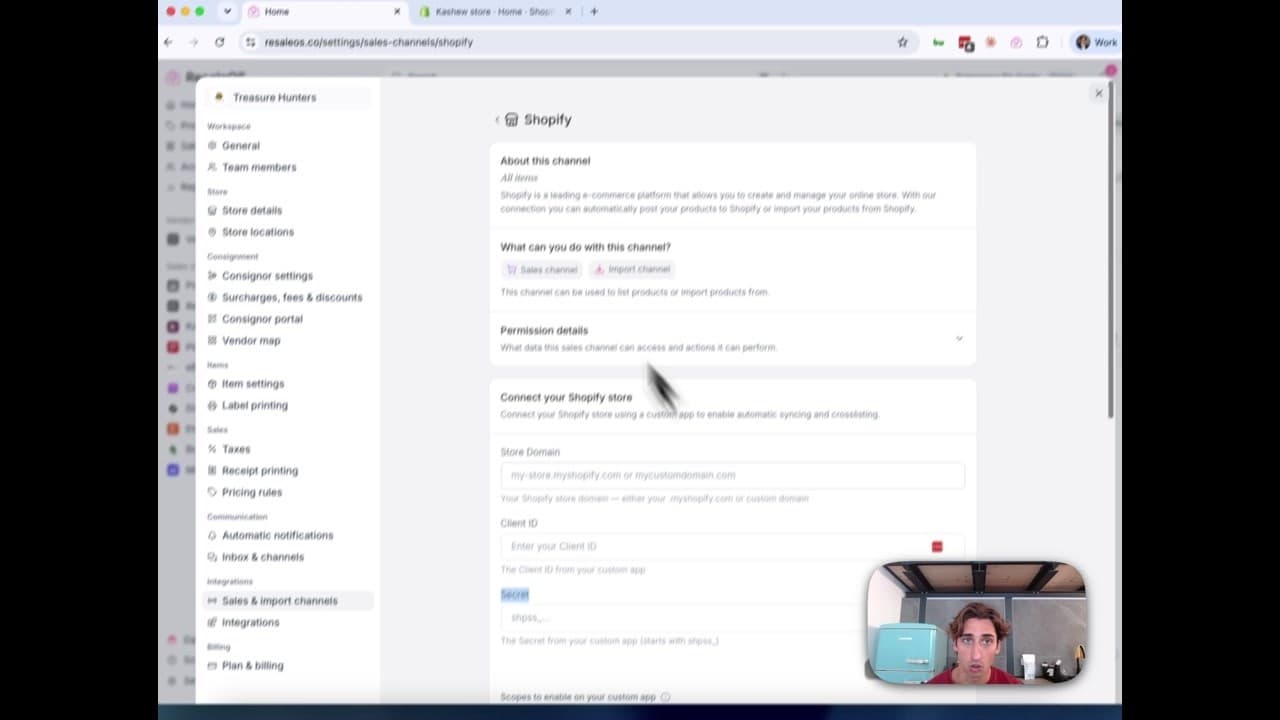
How to Connect Your Shopify Store to ResaleOS
Create a Shopify custom app, paste in the scopes ResaleOS gives you, and connect your store in a few minutes.