The ResaleOS Developer API
ResaleOS gives you a clean REST API to read and manage your inventory, read your sales, and get notified the moment things change. Push products in from another system, keep an external catalog in sync, or build your own dashboard on top of your store. Here is everything you need to make your first call.
The Developer API is a Pro plan feature. On other plans the API key and webhook settings are visible but locked — upgrade from Settings → Plan to switch it on.
What you can build with it
Manage products
List, create, update, and delete inventory — the same catalog you see in the app.
Read sales
Pull orders and line items from every channel and your POS, filtered by date, status, or customer.
Real-time webhooks
Get a signed HTTP callback the instant a product is created, updated, or deleted.
AI on create
Send just a photo URL and ResaleOS writes the title, brand, category, and attributes for you.
Per-item shipping policy
Pick the eBay policy or Etsy profile for one specific item at create time, overriding the channel default.
Create an API key
Head to Settings → Integrations → Developer API and click Create API key. Your full key is shown once — copy it somewhere safe. After that ResaleOS only stores a hashed copy and shows the last four characters, so it can never be recovered. Keys look like this:
ros_live_a1b2c3d4e5f6.xxxxxxxxxxxxxxxxxxxxxxxxxxxxxxxx
└── key id ──┘└──────────── secret ────────────┘
Each key is scoped to a single workspace. Lost a key, or someone left the team? Revoke it from the same screen — revoked keys stop working immediately, and you can issue as many as you like.
Authenticate every request
The base URL is https://www.resaleos.co/api/v1. Send your key on every request — either as a bearer token or in the X-Api-Key header:
# List your two most recent active products
curl -s \
  -H "Authorization: Bearer ros_live_abc123..." \
  "https://www.resaleos.co/api/v1/products?status=active&limit=2"

# The X-Api-Key header works too
curl -s \
  -H "X-Api-Key: ros_live_abc123..." \
  "https://www.resaleos.co/api/v1/products"
Endpoints
Products and accounts support read/write; sales are read-only. Every list endpoint is paginated and accepts filters like status, search, date ranges, and more. The full parameter list for each endpoint lives in-app under Settings → Integrations → Developer API.
Products
Method | Endpoint | Description |
|---|---|---|
| GET | /api/v1/products | List & filter products (paginated) |
| POST | /api/v1/products | Create a product — AI fills in the rest from a photo |
| GET | /api/v1/products/{id} | Fetch one product by its resaleosId |
| PATCH | /api/v1/products/{id} | Update one or more fields |
| DELETE | /api/v1/products/{id} | Permanently delete a product |
Sales (read-only)
Method | Endpoint | Description |
|---|---|---|
| GET | /api/v1/sales | List & filter sales / orders (paginated) |
| GET | /api/v1/sales/{id} | Fetch one sale by its saleNumber |
Accounts
Method | Endpoint | Description |
|---|---|---|
| GET | /api/v1/accounts | List & filter accounts — consignors, customers, suppliers — with balances (paginated) |
| POST | /api/v1/accounts | Create an account with your store defaults, optionally with a portal invite |
| GET | /api/v1/accounts/{id} | Fetch one account by its accountId |
| PATCH | /api/v1/accounts/{id} | Update contact details, type, split, tags or custom fields |
Shipping policies (read-only)
Method | Endpoint | Description |
|---|---|---|
| GET | /api/v1/shipping-policies?channel=ebay | List your eBay shipping policies or Etsy shipping profiles, with their ids |
Create a product from a photo
Send an image URL and a price, and ResaleOS generates the title, brand, category, and attributes for you. Anything you include by hand takes precedence over the AI.
curl -s -X POST \
  -H "Authorization: Bearer ros_live_abc123..." \
  -H "Content-Type: application/json" \
  "https://www.resaleos.co/api/v1/products" \
  -d '{
    "price": 120,
    "cost": 35,
    "condition": "like_new",
    "status": "active",
    "images": ["https://cdn.example.com/item-front.jpg"],
    "inventory": [{ "location": "YOUR_LOCATION_ID", "quantity": { "available": 1 } }]
}'{
"product": {
"resaleosId": "ROS-00451",
"title": "Nike Air Max 90 White/Black Low-Top Sneaker",
"brand": "Nike",
"status": "active",
"price": 120,
"cost": 35,
"condition": "like_new",
"attributes": { "color": "White", "size": "10", "material": "Leather" },
"createdAt": "2026-04-13T14:22:00.000Z"
},
"message": "Product created successfully"
}Grab your location IDs from the same Developer API settings screen — they populate the inventory field.
Category metafields and your own fields
Everything the product editor calls a category metafield lives in one flat attributes object — there is no second endpoint for them. What decides whether a value fills the category's Material field or just sits beside it is the key: use the Shopify taxonomy attribute handle, lowercase and hyphenated. Multi-value fields go in as one comma-separated string.
{
  "productType": "Wall Art",
  "attributes": {
    "material": "Brass, Wood",          // fills the category's Material field
    "art-movement": "Folk Art",
    "Material": "Brass",                // saves, but as a loose extra field
    "_custom_b4b6c931-a6c6-424f-bab9-4cdffb4c4324": "BIN-221 | FIGURALS"
  }
}
The handles and their allowed values are Shopify's Standard Product Taxonomy, unchanged — open the category in the product editor to see which ones it offers. Values are free text and we map them to each marketplace's own list at export, so the taxonomy's own value names map cleanest.
Your own fields from Settings → Item defaults ride in the same object, keyed _custom_<field id>. To find a field's id, set it on one item in the editor and then GET that item — the _custom_… key in the response is the id, and it never changes. List fields store their values as one comma-separated string, date fields as YYYY-MM-DDTHH:MM:SS, and file fields as { url, fileName }. Custom fields stay internal — they aren't published to a marketplace unless you map them to a channel field.
Sending attributes replaces the whole object, on create as well as update — fetch the product, merge your changes in, and send every key you want to keep.
Set the shipping policy per item
Each sales channel has a default shipping policy, and you can add category rules on top of it. When you already know the right policy for a specific item — a heavier variant of an otherwise identical product, say — send shippingPolicyId on the channel. It applies to that item only and takes priority over both the channel default and any category rule. Supported on eBay (shipping policies) and Etsy (shipping profiles).
curl -s \
  -H "Authorization: Bearer ros_live_abc123..." \
  "https://www.resaleos.co/api/v1/shipping-policies?channel=ebay"

{
  "channel": "ebay",
  "marketplaceId": "EBAY_US",
  "policies": [
    { "id": "376434832022", "name": "Light-Magazine", "isDefault": true },
    { "id": "376434833022", "name": "Heavy-Magazine", "isDefault": false }
  ]
}curl -s -X POST \
-H "Authorization: Bearer ros_live_abc123..." \
-H "Content-Type: application/json" \
"https://www.resaleos.co/api/v1/products" \
-d '{
"title": "Motor Trend, May 1967",
"sku": "MAG-1967-05",
"price": 39.99,
"status": "active",
"channels": [
{ "platform": "storefront" },
{ "platform": "ebay", "shippingPolicyId": "376434833022" }
]
}'The same block works on PATCH /api/v1/products/{id} to change the policy later — the live listing is updated for you. Send "shippingPolicyId": null to clear the override and go back to the channel default. Every product response echoes the channel back with its current shippingPolicyId.
Sending channels replaces the product's channel selection, so include every channel the item should stay listed on.
Get notified in real time
Instead of polling, register one HTTPS endpoint under Settings → Integrations → Developer API and ResaleOS will POST to it whenever inventory changes or a sale is recorded, updated or refunded. Failed deliveries are retried with backoff, and a persistently unreachable endpoint is auto-disabled so it never becomes a silent hole.
Event | Description |
|---|---|
product.created | Fires whenever a new product is added to your workspace. |
product.updated | Fires when any field on a product changes. |
product.deleted | Fires when a product is permanently deleted. |
sale.created | Fires when a sale is recorded — the register, your storefront checkout, or a marketplace order syncing in. The payload is the same sale object GET /api/v1/sales returns. |
sale.updated | Fires when a recorded sale changes: an order edited, a payment or invoice collected, or a sale voided. Carries the whole sale as it now stands, not a diff. |
sale.refunded | Fires on a refund, whether issued in ResaleOS or on the marketplace the order came from. Read paymentStatus and amountRefunded for how much of the sale survives. |
POST https://your-app.example.com/hooks/resaleos
Content-Type: application/json
X-Resaleos-Event: product.created
X-Resaleos-Timestamp: 1755400123
X-Resaleos-Signature: sha256=9f86d081884c7d65...

{
  "event": "product.created",
  "payload": { "resaleosId": "ROS-00421", "title": "Mid-century teak credenza" },
  "timestamp": "1755400123"
}
Verify every payload
Each request carries an X-Resaleos-Signature header — an HMAC-SHA256 of the raw body, keyed with your endpoint signing secret. Recompute it and compare before trusting the event:
import crypto from 'crypto';

function isValid(rawBody, signatureHeader, signingSecret) {
  const expected =
    'sha256=' +
    crypto.createHmac('sha256', signingSecret).update(rawBody).digest('hex');
  return crypto.timingSafeEqual(
    Buffer.from(expected),
    Buffer.from(signatureHeader),
  );
}
Requests also include X-Resaleos-Event and X-Resaleos-Timestamp. Rotate your signing secret any time from the settings screen.
A few things worth knowing
Keys are hashed
We store only a hashed copy plus the last four characters. A lost key must be revoked and replaced — it can never be shown again.
Workspace-scoped
A key only ever touches the one workspace it was created in. Run multiple stores? Each needs its own key.
Writes sync everywhere
Update a product over the API and it re-syncs to your connected marketplaces and fires the matching webhook, just like an edit in the app.
Deletes are permanent
DELETE removes a product for good — there is no undo. Use status if you only want to archive it.
The complete reference — every query parameter, request field, and a live example response for each endpoint — is built into the app under Settings → Integrations → Developer API, right next to where you create your keys.
Ready to build on ResaleOS?
The Developer API is included on the Pro plan. Get started on Pro for $1 for your first 30 days and create your first API key in minutes. Building something specific? We're happy to help on a quick call.
Frequently asked questions
Does ResaleOS have an API?
Yes. ResaleOS has a REST API for reading and managing your products, reading your sales, and receiving real-time webhooks when inventory changes or a sale is recorded, updated or refunded. The Developer API is available on the Pro plan.
How do I authenticate with the ResaleOS API?
Create an API key under Settings → Integrations → Developer API, then send it on every request as a bearer token in the Authorization header (Authorization: Bearer ros_live_...) or in the X-Api-Key header. Keys are scoped to a single workspace.
What can the ResaleOS API do?
You can list, create, update, and delete products, read your sales and orders, list your eBay and Etsy shipping policies, set a per-item shipping policy, and subscribe to product.created, product.updated, product.deleted, sale.created, sale.updated, and sale.refunded webhooks. Creating a product with an image URL also runs AI listing generation automatically.
Can I set a different shipping policy for a single item?
Yes. Send shippingPolicyId on the channel entry when you create or update a product — for example channels: [{ platform: "ebay", shippingPolicyId: "376434833022" }]. It applies to that item only and overrides both the sales channel default and any category rule. Call GET /api/v1/shipping-policies?channel=ebay to list your policy ids. eBay shipping policies and Etsy shipping profiles are supported, and you can also pick a policy per item in the app from the publish modal.
How do I set category metafields like Material through the API?
Category metafields are part of the product’s attributes object — there is no separate endpoint. Key each one by its Shopify taxonomy attribute handle, lowercase and hyphenated, for example attributes: { "material": "Brass, Wood", "art-movement": "Folk Art" }. A display name such as "Material" still saves, but it lands as a loose extra field instead of filling the category’s Material field. Multi-value fields go in as one comma-separated string. Your own custom fields from Settings → Item defaults use the same object, keyed _custom_<field id>. Sending attributes replaces the whole object, so merge before you PATCH.
Are webhooks signed?
Yes. Every webhook is signed with HMAC-SHA256 using your endpoint signing secret and sent in the X-Resaleos-Signature header. Verify it before trusting a payload.
Related Articles
The register
How the point of sale works — cart, tenders, drawers & receipts
The whole register, in the order a sale moves through it: scanning and pricing the cart, tax and surcharges, split tender and change due, card readers, layaway and gift cards, then drawer counts, register lock and receipts.
Rose → ResaleOS
How to move from Rose (Consignor Connect) to ResaleOS
Free, done-for-you move from Rose to ResaleOS. Rose runs on Square, so you connect Square with one click and your items, photos and sales arrive on their own. Rose's Contract List brings every consignor, split and balance, and each item is linked back to its consignor. Live by lunch, with your Square register still ringing.
Website builder
How the ResaleOS website builder works
Build a real website around your ResaleOS shop — clone your old site, start from a template, or describe it to AI. Plus favicon, social sharing, SEO and search-engine verification.
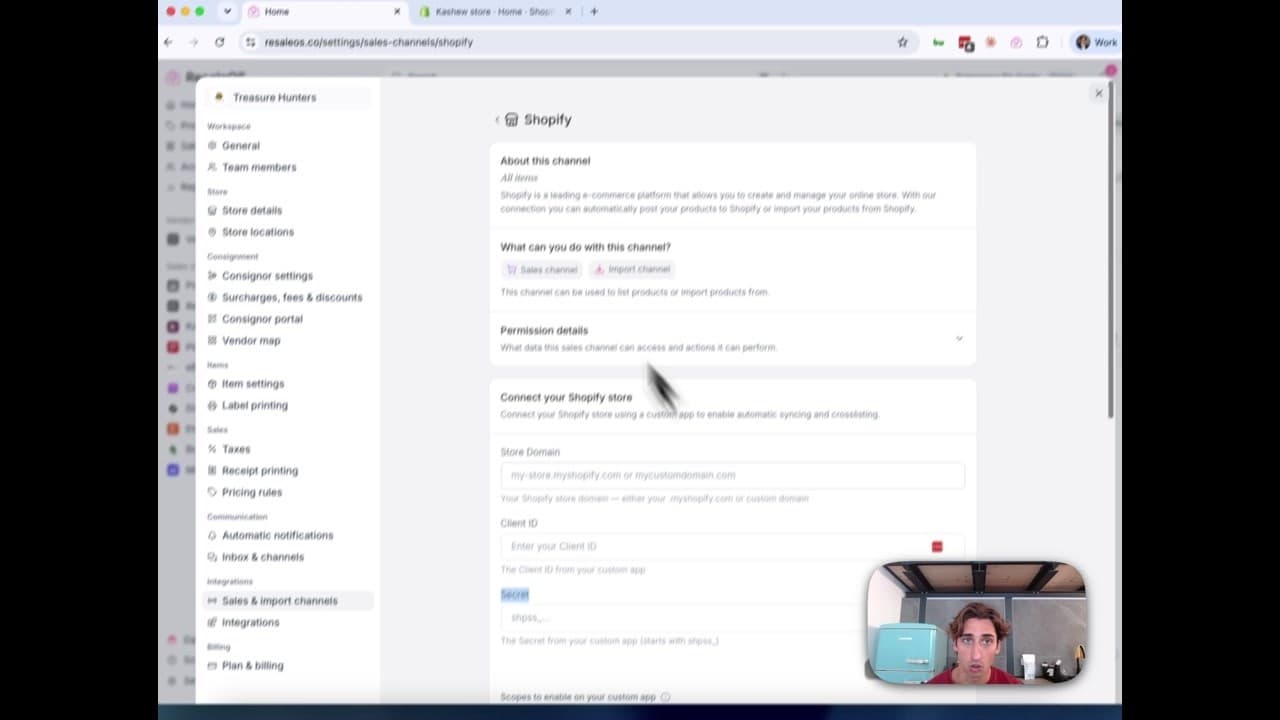
How to Connect Your Shopify Store to ResaleOS
Create a Shopify custom app, paste in the scopes ResaleOS gives you, and connect your store in a few minutes.
Vendoo → ResaleOS
How to move from Vendoo to ResaleOS
Moving from Vendoo takes about an hour, and nothing you have live gets re-listed or delisted. Connect the marketplaces you already sell on so your listings arrive with every photo, upload one export file from Vendoo for your drafts, labels and costs, and keep cross-listing from ResaleOS.
AI image editing
How image editing works — background removal, AI staging & batches
Remove backgrounds, add shadows, restage a product from a prompt, crop, colour-correct and watermark — on one photo or a whole batch. Which AI models run each job, what counts against your monthly photo edits, and how recipes replay your house style.
QuickBooks integration
How the QuickBooks integration works — sales, payables & payouts
Connect QuickBooks Online once and every sale, refund, consignor payable, payout and inventory movement books itself as the right kind of QuickBooks document. How to connect, what maps to what, and what deliberately does not sync.
What we cover in a demo
ResaleOS overview — what we cover in a demo call
The same walkthrough we give on a live demo call, recorded so you can watch it now: inventory, building a listing from photos, the pricing engine, crosslisting, sales from every channel, your storefront, consignors and what it costs. Seven minutes, full transcript included.