How auto-delisting works
Yes — ResaleOS delists automatically. The moment an item sells on any connected channel, your point of sale, or your storefront, we mark it as sold and pull it down from every other marketplace where it was live. You never have to remember to remove a listing, and you never sell the same one-of-a-kind item twice.
An item sells — anywhere
The sale can come from a connected marketplace (eBay, Etsy, Poshmark…), a checkout on your ResaleOS storefront, or a ring-up at your point of sale. ResaleOS treats them all the same way.
ResaleOS marks it Sold
We import the order, record the sale, and flip the product's status to Sold so your inventory count, reports, and consignor balances stay accurate.
We queue a delist on every other live channel
For each connected channel where that item still has a live listing, we automatically queue a delist. Anything that isn't 'active' in ResaleOS isn't allowed to stay up on a marketplace.
Listings come down within minutes
Delists run through the same export queue as your listings. Most come down within a couple of minutes; a busy marketplace queue can take a little longer. You can watch progress on the product's channel panel.
Every connected channel where the item was live
Auto-delisting covers all of your connected sales channels — plus your ResaleOS storefront, which simply hides the item instantly. We only delist where the item actually had a live listing, so there's nothing to clean up by hand.
See the full and live list of connected channels on the Supported platforms reference.
It's not just sales. Any time an item leaves "active" in ResaleOS — you mark it Sold, set it back to Draft, or change it to returned, donated, lost or damaged — we automatically delist it from every connected channel it was live on. Set it back to Active and you can re-publish in a click.
Frequently asked
Do I have to turn it on?
No. Auto-delisting is on by default for every connected channel — there's no setting to flip. Connect a channel and it's included in the sync automatically.
How fast is it?
Delists run through the same queue as your listings — usually a couple of minutes. During a marketplace's busy periods it can take a little longer, but it always runs without you.
What about in-store sales?
Same thing. Sell an item at your point of sale and it delists from every online channel right away, so an in-store sale can't be double-sold online.
What if I have a quantity of 5?
Multi-quantity listings stay live and we keep the stock level in sync as units sell. We only fully delist when the item is sold out or its status moves off Active.
Where do I see it happen?
Open the product and check its channel panel — each connected channel shows its live status (queued, exported, removed) so you can confirm the delist went through.
A listing didn't come down?
Almost always a disconnected channel — if a marketplace token has expired, the channel row shows a "Reconnect" badge. Reconnect it and the queued delist will finish. Still stuck? Reply to any ResaleOS email and we'll sort it with you.
Stop double-selling your inventory
Connect your channels once and ResaleOS keeps every listing in sync — selling once and delisting everywhere, automatically.
Related Articles
Rose → ResaleOS
How to move from Rose (Consignor Connect) to ResaleOS
Free, done-for-you move from Rose to ResaleOS. Rose runs on Square, so you connect Square with one click and your items, photos and sales arrive on their own. Rose's Contract List brings every consignor, split and balance, and each item is linked back to its consignor. Live by lunch, with your Square register still ringing.
Website builder
How the ResaleOS website builder works
Build a real website around your ResaleOS shop — clone your old site, start from a template, or describe it to AI. Plus favicon, social sharing, SEO and search-engine verification.
Add a video
How to add a video to a product
Upload a clip up to 500MB in almost any format; ResaleOS converts it and sends it to every channel that accepts video.
Bulk edit
How to bulk edit products
Change category, price, brand, tags, consignor or shipping details on thousands of products at once, in a spreadsheet-style grid.
Possible duplicates
How to find and merge duplicate items
Find items entered twice — same SKU, title, or photo — and merge them without losing a listing, a sale, or a consignor payout.
What's it worth?
How to find what an item is worth
Pull real sold comps and live listings from twenty-plus marketplaces and get a suggested price for any item, right from the product page.
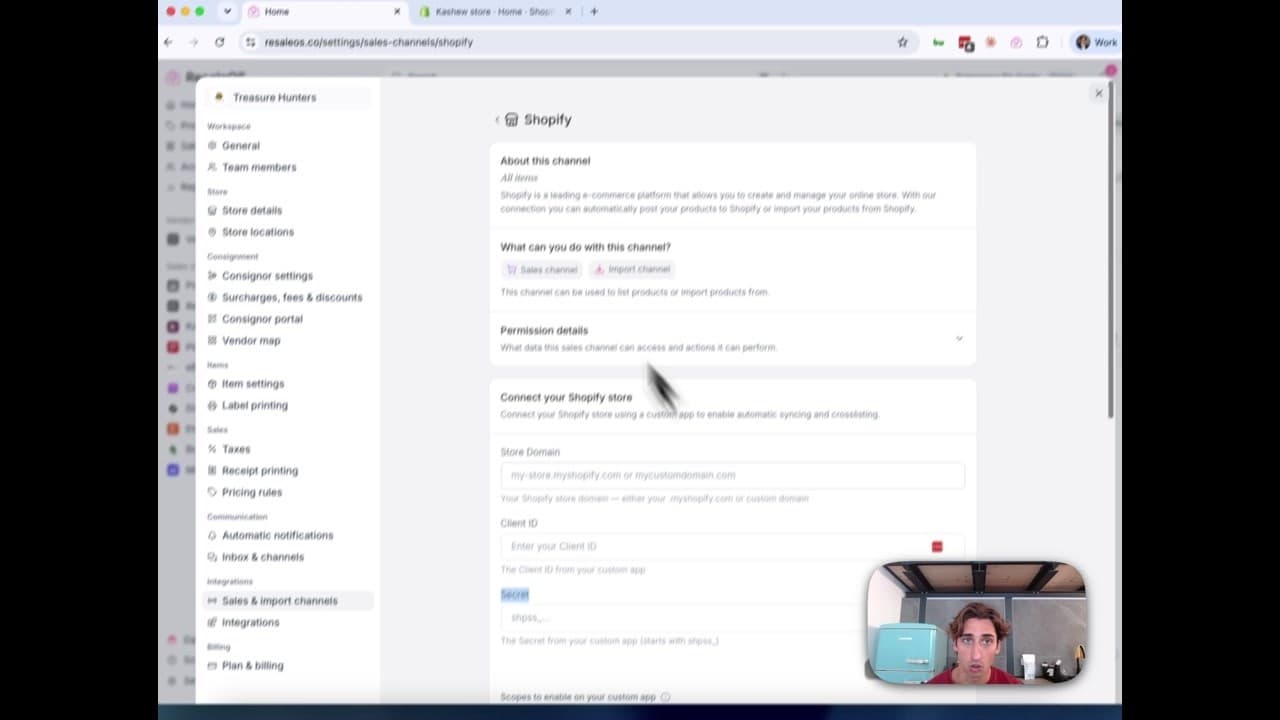
How to Connect Your Shopify Store to ResaleOS
Create a Shopify custom app, paste in the scopes ResaleOS gives you, and connect your store in a few minutes.
Vendoo → ResaleOS
How to move from Vendoo to ResaleOS
Moving from Vendoo takes about an hour, and nothing you have live gets re-listed or delisted. Connect the marketplaces you already sell on so your listings arrive with every photo, upload one export file from Vendoo for your drafts, labels and costs, and keep cross-listing from ResaleOS.