How the ResaleOS website builder works
Your storefront already sells your inventory. The website builder is what you wrap around it — a homepage, an about page, your story, your hours, a contact form. Same site, same domain, same checkout. No second subscription, no theme code.
- Open Website builder from your storefront settings (or go straight to
/storefront-builder). - Start four ways: clone your current website, pick a template, answer a few questions and let AI draft it, or start blank. Or have our team build the whole thing for you.
- Every page is edited by typing what you want. Preview on the right, publish when it looks right.
- Site settings holds navigation, brand colors, your homepage — and under Advanced, the favicon, social share image, SEO title and description, and your search-engine verification tags.
Open the website builder
Settings → Sales channels → Storefront → Website builder. It has two tabs: Build, where new pages come from, and Pages, everything you have already made. Your shop, product pages, cart and checkout stay ours — they work the same for every store and you never have to design them.
Pick how you want to start
Four starting points, all of which land you in the same editor.
Clone my current website
Already on Shopify, Squarespace, Wix or anywhere else? Paste the address and we rebuild those pages here. The most popular starting point, because your copy and layout come with you.
Start from a template
Pre-built sites designed for resale and consignment stores. Preview one, apply it, then change whatever you want. Fastest route to something live.
Answer a few questions
Tell us where you are, what you sell, your story and your brand colors. AI drafts a whole first version of the site from that.
Start with a blank page
One empty page, built up prompt by prompt. Good for adding a single page — an FAQ, a Sell with us — to a site you already like.
There is a fifth option in the same place: have us build it for you. Our team designs, writes and engineers the whole site — and a build we run lifts the page limit entirely.
Edit by describing what you want
Every page opens with a live preview on one side and a prompt box on the other. “Make the hero image bigger.” “Add our opening hours under the map.” “Warmer colors.” You can attach photos and say where they go.
Pages can also carry live pieces of your store, dropped in by asking for them:
- Product grids and carousels — filtered by search, category or sort, so a page can show “newest handbags” and stay current on its own.
- Contact form — messages come to you, no third-party form service.
- Galleries, video (YouTube or Vimeo), a map of your shop, and buttons linking anywhere on your site.
Publish when it's ready
Nothing is public until you hit Publish. A live page you have edited since shows Unpublished edits until you publish again, so you can work on a page in the open without anyone seeing the half-finished version. Unpublish takes it back down without deleting it.
Each page has its own address — about, visit-us, events/spring-market — plus its own SEO title and meta description if you want to override what Google shows. Shop machinery paths like product, cart and checkout are ours and can't be taken over.
Make one page your homepage
Publish a page at home and it becomes your front door automatically — the product listing moves to /shop and a Shop link is added to your navigation. Untick Use my custom homepage in Site settings to put the product listing back at the front. Nothing is lost either way.
Navigation and brand colors
Site settings holds your header navigation and footer links. Links can point at your own pages or at a filtered view of your shop — shop?brand=Levi's, shop?condition=New, shop?sort=price_asc — so a nav item can be a whole curated category. Brand and accent color sit right above.
Favicon, social sharing & SEO
These live in Site settings under Advanced — favicon, social sharing & SEO, collapsed by default. All four are optional: leave them blank and we derive sensible values from your store name, bio and logo.
Favicon
The little icon in the browser tab and in bookmarks. Upload a square image — a logo mark reads better than a full logo at 16 pixels.
Default social share image
The picture that appears when someone pastes your link into Facebook, Instagram, WhatsApp or iMessage. Without one, links to your site show up as a bare grey box. Landscape, roughly 1200 × 630, with your shop name readable in it. Product links use the product photo instead — this is the fallback for everything else.
Site title and site description (SEO)
What Google shows in the result. The title defaults to your store name and the description to your bio. Worth writing by hand: say what you sell and where you are, because that is what people actually search. Individual pages can override both from inside the page editor.
Verify your site with search engines
Google Search Console, Google Merchant Center, Bing Webmaster Tools, Pinterest, Meta, Yandex and Ahrefs all verify a site the same way: they hand you an HTML tag, you put it on your site, they check for it. Paste the whole tag into this field, exactly as they gave it to you — we work out which service it belongs to — then hit Verify on their end. It goes into the head of every page on your site, custom homepage included. Add as many as you need.
Don't paste a verification tag into a page. Pages are sanitized before they are served — no scripts, no <meta> tags — which is what keeps a website builder from becoming a way to run code on your shoppers. So a tag pasted into page content is stripped and the provider never finds it. The field above is the supported way, and it's the only one that reaches the head of the page.
Point your own domain at it
Every store gets your-store.myresale.co free, and it works forever. When you're ready to run the site on your own name, follow how to set up your domain. Your SEO settings, verification tags and pages all move with it — nothing to redo.
What's included
- Six custom pages on every plan. A site we build for you isn't capped.
- Publishing is on the Reseller and Pro plans. On Crosslister you can build and preview pages, but they stay drafts.
- AI edits per day — 25 on Crosslister, 60 on Reseller, 120 on Pro. One prompt is one edit, and the counter resets daily.
- Favicon, share image, SEO fields and verification tags are on every plan, including while your storefront is still on the free myresale.co address.
Frequently asked
Can I edit the head section?
Not as raw code, no — and you shouldn't need to. What normally goes there is covered by fields: favicon, social share image, SEO title and description, and verification tags for Google, Bing, Pinterest and Meta. Those write into the head of every page for you.
Google Merchant Center verification?
Same tag, same field. Merchant Center offers an email to info@yourdomain, which won't work on a myresale.co address because there's no mailbox behind it. Use its HTML tag method instead and paste the tag into Site settings.
Can I paste my own HTML?
You can write HTML and CSS for a page, and it gets sanitized before it's served. Scripts, iframes, meta and base tags are removed — that boundary is why a page on your site can never run code on a shopper's browser.
Can a custom page be my shop?
No, and that's deliberate. Browsing, product pages, cart and checkout are ours so they stay fast and correct. A page can show products through a grid or carousel, filtered however you like.
I already have a website.
Clone it. Paste the address in the Build tab and we rebuild those pages here, then you edit from there. Keep the old site up while you compare.
Will AI overwrite my work?
Every change lands as a draft on top of what's published. Your live page doesn't move until you publish, and each publish keeps the previous version.
Do my pages get indexed?
Yes, and they point at your own address — your custom domain if you have one, your myresale.co subdomain otherwise — so Google consolidates everything on one site rather than splitting it.
Can someone build it for me?
Yes. “Have us build it for you” in the Build tab — our team does the design, the copy and the engineering, and the page limit comes off for that build.
Where do images live?
Uploaded through the builder and served from our CDN, so there is no image host to manage. Photos you attach to a prompt are available to the assistant when it lays the page out.
Your shop deserves a real website
Clone your old one, or describe the one you want. Either way you're looking at a draft in a few minutes — and it runs on the inventory you already have in ResaleOS.
Related Articles
The register
How the point of sale works — cart, tenders, drawers & receipts
The whole register, in the order a sale moves through it: scanning and pricing the cart, tax and surcharges, split tender and change due, card readers, layaway and gift cards, then drawer counts, register lock and receipts.
Rose → ResaleOS
How to move from Rose (Consignor Connect) to ResaleOS
Free, done-for-you move from Rose to ResaleOS. Rose runs on Square, so you connect Square with one click and your items, photos and sales arrive on their own. Rose's Contract List brings every consignor, split and balance, and each item is linked back to its consignor. Live by lunch, with your Square register still ringing.
Add a video
How to add a video to a product
Upload a clip up to 500MB in almost any format; ResaleOS converts it and sends it to every channel that accepts video.
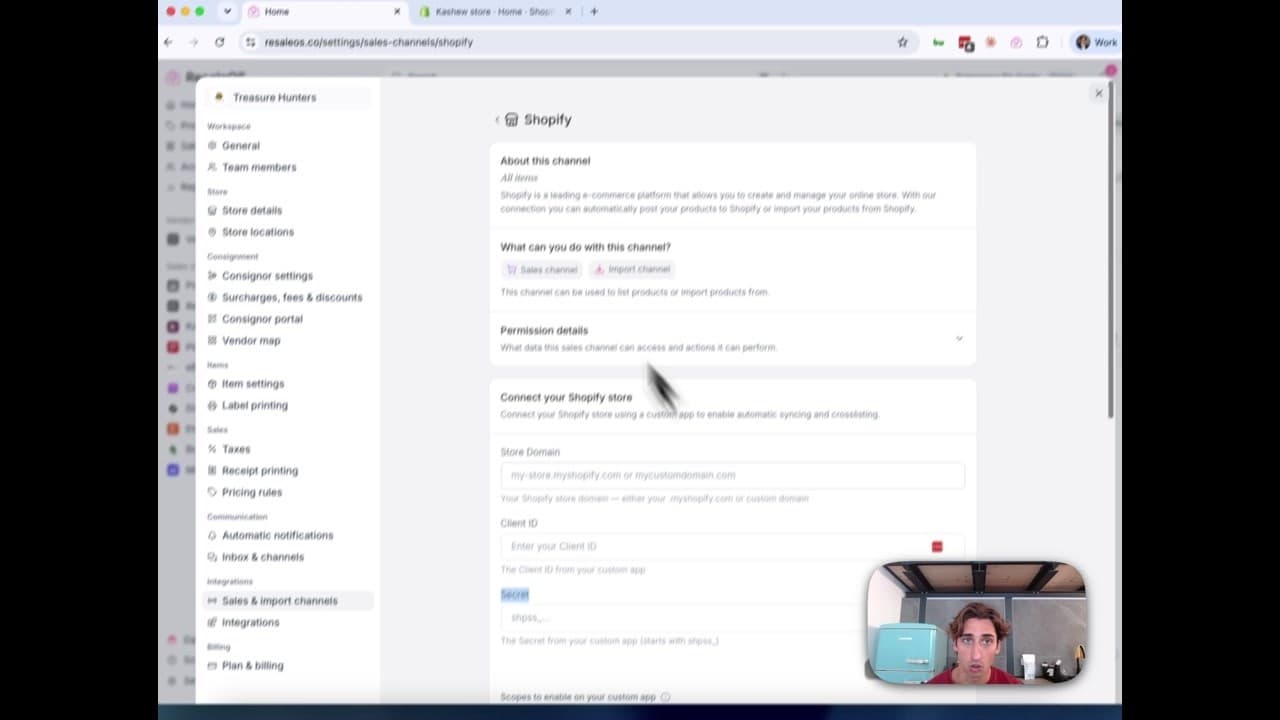
How to Connect Your Shopify Store to ResaleOS
Create a Shopify custom app, paste in the scopes ResaleOS gives you, and connect your store in a few minutes.
Vendoo → ResaleOS
How to move from Vendoo to ResaleOS
Moving from Vendoo takes about an hour, and nothing you have live gets re-listed or delisted. Connect the marketplaces you already sell on so your listings arrive with every photo, upload one export file from Vendoo for your drafts, labels and costs, and keep cross-listing from ResaleOS.
AI image editing
How image editing works — background removal, AI staging & batches
Remove backgrounds, add shadows, restage a product from a prompt, crop, colour-correct and watermark — on one photo or a whole batch. Which AI models run each job, what counts against your monthly photo edits, and how recipes replay your house style.
What we cover in a demo
ResaleOS overview — what we cover in a demo call
The same walkthrough we give on a live demo call, recorded so you can watch it now: inventory, building a listing from photos, the pricing engine, crosslisting, sales from every channel, your storefront, consignors and what it costs. Seven minutes, full transcript included.
Import stock photos
How to import stock photos from the web
Type a product title and ResaleOS finds the same item on eBay, Poshmark, Mercari, Etsy and more — then lets you import their photos in one tap. Plus barcode lookup, Upload by URL, plan limits, and when to shoot your own photos instead.