How image editing works
A clean white background sells better than a photo of your kitchen table, and nobody wants to pay for a second app to get one. ResaleOS has a full photo editor built in — background removal, shadows, AI restaging, crop, colour, watermarks — that works on one photo or a hundred at a time. If you already use PhotoRoom, you will recognise what is under the hood, because it is PhotoRoom.
Four ways into the same editor
From a product
Open any product and click a photo in the Images row. To do several at once, tick their checkboxes and hit Edit.
Photo Studio
Under Products → Photo Studio. Built for volume: dump a shoot in, group it, edit in batches, then turn groups straight into listings.
Picking a variant image
The variant image picker opens the same editor, one photo at a time.
The free public tool
resaleos.co/ai-image-editor runs the same editor in your browser with no account — five free edits, then it asks you to sign up.
Reorder photos and pick the main one
The first photo in a product's Images row is its main image: the cover on every channel it is listed on, and on your storefront.
Drag to reorder
Open the product, then drag a photo in the Images row to a new spot. Drag one to the front to make it the main image. Click Save to keep the new order.
On a phone or tablet
Press and hold a photo for a moment until it lifts, then drag. A quick tap opens the editor instead, and a swipe scrolls.
A photo won't move
Ticked photos are held for bulk actions and can't be dragged. Untick it first. Photo Studio rows don't reorder; arrange photos on the product itself.
Eight tools, and which ones cost you anything
Three of them send your photo to an AI service and use one of your monthly photo edits. The other five happen right in your browser and are free, unlimited, and instant.
Background
Cut the product out and drop it on transparent, white, black, a grey, one of eight standard colours, or any hex you paste in.
Shadow
Add a soft, hard or floating shadow underneath so a cut-out product does not look like it is hovering in space.
Generate
Describe a change in plain English — recolour it, restage it, put it in a room — and an AI model redraws the photo.
Crop & Transform
Crop to a preset or freeform, straighten by up to 15°, flip, and rotate in 90° steps.
Adjust
Brightness, contrast, saturation and warmth sliders — the fix for a photo shot under bad shop lighting.
Resize
Set an exact width and height in pixels, with an aspect-ratio lock.
Draw
Freehand brush in nine colours — circle a flaw, point at a detail, cover something you would rather not show.
Watermark
Stamp your store logo (or any transparent PNG or SVG you upload) in one of nine positions, with size and opacity control.
In bulk mode the single-image tools — Crop & Transform, Adjust, Resize and Draw — are hidden, because they need a picture in front of you. Background, Shadow, Generate and Watermark all work across the whole selection.
Which AI actually does the work
We do not train our own image models — we route each job to the service that is best at it, and pay for it so you do not have to hold four subscriptions. Background removal and shadows always run on PhotoRoom. For Generate you pick the engine from the Model dropdown.
PhotoRoom
Background removal, shadows, and the "Classic" generative edit.
The one most resellers already know. It is included in your plan — no separate PhotoRoom subscription.
Gemini Flash
The default engine for Generate. Fast, and good enough for most edits.
Google. Selected for you unless you change it.
Gemini Pro
Highest quality Generate — and the only sensible choice when you attach reference images.
Google. Auto-selected the moment you add a reference photo.
OpenAI GPT Image
Strong with props and staged scenes. Slower than the others.
OpenAI. Worth trying when Gemini keeps reinventing your product.
Already a PhotoRoom user? You do not need to keep paying for it separately for this. The background removal and shadow tools here call PhotoRoom directly, so you get the same cut-out quality you are used to, inside the product form, applied to a batch, without exporting anything.
Using Generate well
Describe the change, not the photo. “Change the jersey colour to yellow” works. “A nice product photo” does not.
Two preset chips save you typing the most common request: Place on a clean white studio background, and — once you attach a reference — Place the product in the reference background. Your last few prompts are kept under Recent so you can fire the same one at the next item.
Attach a reference image for your own backdrop
Up to three reference photos — your studio backdrop, a prop, a scene you shoot against every time — so new listings match the ones you already have.
Attach a reference and ResaleOS switches you to Gemini Pro on purpose. It reproduces a reference backdrop far more faithfully — the faster engines tend to reinvent the scene rather than reuse yours. PhotoRoom does not accept reference images at all.
Save as New, not Replace Original
Save as New drops the edited photo at the front of the gallery and keeps the untouched original behind it. Replace Original points the product at the new file — and there is no undo button once you have closed the editor.
In bulk mode the button reads Save All (N). Edited files are stored on our own image hosting, so nothing depends on the editor session staying open.
Recipes — do it once, replay it forever
Every edit you apply is recorded as a chain. When you save, that chain is kept as a reusable recipe with a name generated from what it does — Transparent bg, AI background, Shadow, Colour adjust. Your six most recent recipes appear in the Edit dropdown in Photo Studio, so the next shoot gets your house treatment in one click.
One exception: freehand Draw strokes are not replayed — they are specific to the photo you drew them on. Everything else in the chain is. Replaying a recipe uses one photo edit per AI step, per photo.
What you get, and what happens when you run out
30 / month
AI photo edits included — background removal, shadows and Generate runs.
100 / month
AI photo edits included — background removal, shadows and Generate runs.
200 / month
AI photo edits included — background removal, shadows and Generate runs.
Run out and you can add a photo edit pack — 25, 100 or 300 edits, cheaper per edit the more you buy. Packs never expire and are only used once your monthly allowance is gone. The counter in the editor header shows where you are at any moment.
One thing to watch: an edit is counted per successful AI result, so clicking through four background colours to compare them uses four — even if you keep only one. Full plan detail in How ResaleOS pricing works.
Troubleshooting
The AI changed my product
That is the classic failure of a fast image model — it redraws rather than edits. Switch the Model to Gemini Pro, and make the prompt about the background only: place the product in the reference background, do not change the product itself.
My live listings still show the old photo
Changing only the images does not re-push to every marketplace on purpose — otherwise every photo tweak would resend your whole catalogue. Whatnot is the exception and updates automatically. For other channels, change something else on the product too, or re-publish it.
It says my photo edit limit is reached
You have used the AI edits included in your plan for this billing period. Add a photo edit pack to carry on, or wait for the reset. Note that saving is blocked at the cap even for the free browser-side tools.
The cut-out clipped part of my item
Thin straps, chair legs, glass and hair are the hard cases. Shoot against a background that contrasts with the product, and give the item a bit of space around it in frame — a tight crop leaves the model nothing to work with.
Can I get the original photo back?
Only if you used Save as New, which keeps the original in the gallery. Replace Original repoints the product at the edited file and there is no revert button — so when in doubt, save as new and delete the one you do not want.
Image editing is temporarily unavailable
That message means the editing service is not reachable right now, not that you did anything wrong. Nothing is counted against your allowance for a failed edit — try again shortly.
Related: How to import stock photos from the web when you would rather not shoot at all, and How to customize ResaleOS AI prompts for the titles and descriptions written off these photos.
Try it before you sign up
The AI photo editor is free to try in your browser — no account, five edits on the house. Every ResaleOS plan then includes it on your whole catalog.
Frequently asked questions
Does ResaleOS use PhotoRoom?
Yes. PhotoRoom powers background removal, shadows and the Classic generative edit inside the ResaleOS photo editor, and it is included in your plan — you do not need a separate PhotoRoom subscription. Alongside it, the Generate tool can run Google Gemini (gemini-3.1-flash-image and gemini-3-pro-image) or OpenAI GPT Image (gpt-image-1), which you pick from the Model dropdown.
Which AI models does the ResaleOS image editor use?
Four engines. PhotoRoom handles background removal and shadows. For prompt-based edits you choose between Gemini Flash (gemini-3.1-flash-image, the default), Gemini Pro (gemini-3-pro-image, highest quality and best with reference images), OpenAI GPT Image (gpt-image-1, good with props but slower), and PhotoRoom Classic.
What counts against my monthly photo edit allowance?
Only edits that call an AI service: background removal, shadows and each Generate run — one edit per successful result, including ones you later undo. Crop, straighten, rotate, flip, the adjust sliders, resize, draw and watermark all run in your browser and cost nothing. Plans include 30 (Crosslister), 100 (Reseller) or 200 (Pro) AI photo edits per billing period, and you can top up with a photo edit pack that never expires.
Can I edit lots of photos at once?
Yes. Select two or more images and click Edit to open bulk mode, where Background, Shadow, Generate and Watermark apply to every selected image. ResaleOS also remembers your last six edit chains as reusable recipes in Photo Studio, so you can replay the same background-plus-shadow treatment on a new batch in one click.
Will editing a photo update my live marketplace listings?
Not on its own. Changing only the images re-pushes to Whatnot but deliberately does not re-push to every other connected channel, because that would resend every listing you touch. If you change another synced field in the same save, the updated photos go out with it — otherwise re-publish the product to push new images.
Can I get the original photo back after editing?
Use Save as New rather than Replace Original. Save as New adds the edited version to the front of the product gallery and keeps the untouched photo in the list. Replace Original points the product at the edited file instead, and there is no revert button in the editor.
Related Articles
The register
How the point of sale works — cart, tenders, drawers & receipts
The whole register, in the order a sale moves through it: scanning and pricing the cart, tax and surcharges, split tender and change due, card readers, layaway and gift cards, then drawer counts, register lock and receipts.
Rose → ResaleOS
How to move from Rose (Consignor Connect) to ResaleOS
Free, done-for-you move from Rose to ResaleOS. Rose runs on Square, so you connect Square with one click and your items, photos and sales arrive on their own. Rose's Contract List brings every consignor, split and balance, and each item is linked back to its consignor. Live by lunch, with your Square register still ringing.
Website builder
How the ResaleOS website builder works
Build a real website around your ResaleOS shop — clone your old site, start from a template, or describe it to AI. Plus favicon, social sharing, SEO and search-engine verification.
Add a video
How to add a video to a product
Upload a clip up to 500MB in almost any format; ResaleOS converts it and sends it to every channel that accepts video.
Bulk edit
How to bulk edit products
Change category, price, brand, tags, consignor or shipping details on thousands of products at once, in a spreadsheet-style grid.
Possible duplicates
How to find and merge duplicate items
Find items entered twice — same SKU, title, or photo — and merge them without losing a listing, a sale, or a consignor payout.
What's it worth?
How to find what an item is worth
Pull real sold comps and live listings from twenty-plus marketplaces and get a suggested price for any item, right from the product page.
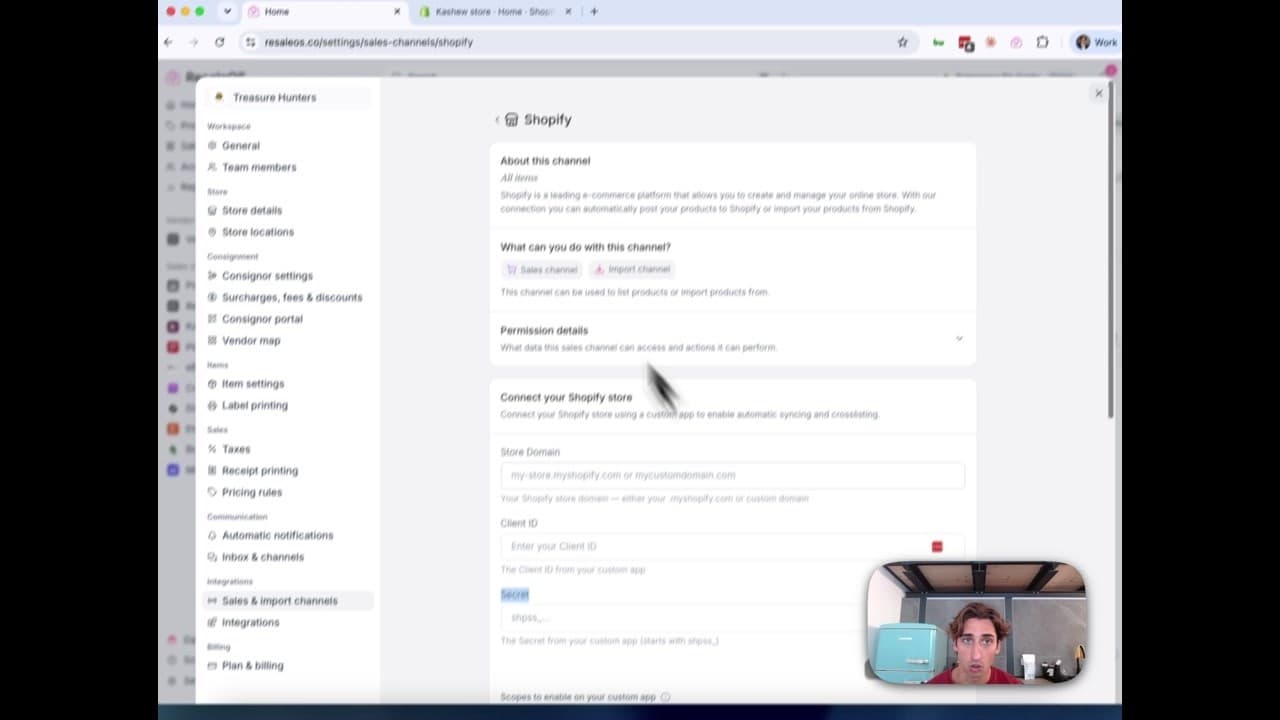
How to Connect Your Shopify Store to ResaleOS
Create a Shopify custom app, paste in the scopes ResaleOS gives you, and connect your store in a few minutes.