How the point of sale works
The register is a full counter POS, not a way to type a sale in after the fact. It scans, it prices, it splits a payment across as many tenders as you like, it works out change, it drives a card reader and a receipt printer, and it counts the till open and closed. This is the whole surface, in the order a sale moves through it — cart, total, payment, receipt — followed by the cash management and staff controls that sit around it.
The counter is one more sales channel
Turn it on under Settings → Sales channels → Point of sale and Dashboard → POS appears. What it writes is an ordinary Sale — the same record an eBay order or a storefront checkout creates. So the moment a cashier hits Complete sale:
Stock comes down
Quantity drops, and the item is delisted from the marketplaces it was crosslisted to — so the piece you just sold off the shelf stops selling online too.
The consignor gets credited
Each line carries its own commission split, so a counter sale pays the vendor exactly as an online one does. Nothing is reconciled by hand later.
Reports include it
In-store revenue lands in the same sales, payment-type and payout reports as everything else, tagged to the register and the cashier.
That is the whole reason to ring up in ResaleOS rather than on a separate POS: there is no nightly export, no SKU matching, and no second set of numbers to trust.
Building the cart
Scan it, search it, or add it on the spot
A barcode scanner plugged in as a keyboard wedge drops straight into the cart — the register watches for the burst of keystrokes a scanner makes and adds the item without anyone clicking a field first. Typing works the same way: search by title, SKU, barcode or number. No match on a scan? The code is checked against your gift cards before the register gives up.
Two more ways in: Browse opens the full product list with filters for a customer who can't remember the tag, and Add custom item rings up something that was never in inventory — a repair, a delivery fee, a bag of parts. A custom item can be saved as a real product on the way through if you want it on the shelf next time.
Change the price, discount the line, fix the vendor
Every row is editable at the counter. Tap the price to override it for this sale only. The discount button takes a percent or a per-unit amount and — this is the part generic POS systems get wrong — asks who pays for it: the store can absorb the markdown or share it with the consignor, and the split on that line is re-tiered accordingly.
You can also change the quantity, attach a per-line surcharge, or reassign the line to a different consignor without leaving the cart. Shipping is a line too: send a counter sale out by post and Add shipping rates it and buys the label from the same screen.
What the total is made of
Tax is resolved from your store's registration, or from the customer's address when you're shipping the order — and the breakdown is inspectable on the total, per rate, so a cashier can see why a number is what it is. Tax-exempt items stay exempt, and the rate can be overridden or removed on the sale for the resale-certificate case.
Surcharges come in two shapes: the per-line fees you configure once, and a transaction surcharge (a card fee, a service fee) you toggle on at checkout — or type in as a one-off. Each is stored on the sale as its own line, so a consignor's statement never quietly absorbs your card processing.
Cash rounding is there for a till that doesn't keep pennies. Pick Nearest or Up and an increment from 5c to $1, and only the part of the sale being handed over as coins is rounded — a card, gift card or store-credit leg still pays its exact cents. The store absorbs the difference: tax owed and the vendor's cut don't move.
Taking the money
Cash, and the change the customer gets back
Tap a suggested bill — or type what the customer actually handed you — and the pad shows Change due underneath. Nobody at the counter does the subtraction, and the sale still records the amount that applied, so change handed back is never counted as revenue.
Split it across as many tenders as you need
Five tiles — Cash, Card, Store Credit, Other and Invoice — plus gift cards and reward points. Any combination works on one sale, each input capped at what's still due so you can't overshoot. Card can hold several lines, each tagged with its own brand, for the customer paying on two cards.
Every tender lands on the sale as its own row, so the receipt, the activity log and your payment-type report show the breakdown rather than a lumped total. There's a fuller walk-through of the cash and wallet legs in how cash and store credit work.
Cards: your reader, or no reader at all
Connect Stripe, Square or Revolut and every reader on the account shows up at checkout; each register picks the one it uses from the POS screen, so the front counter and the back office don't fight over a terminal. The register pushes the amount to the reader, watches it, and books the sale against the payment it took — including the refund reference, so a refund later goes back to the same card without anyone copying an ID.
With no reader connected, Card still works as a recorded method: you run the card on whatever you use today and ResaleOS records the tender and the brand. Nothing about the rest of the sale changes.
Gift cards, reward points, layaway and invoices
Gift cards work both directions: sell one as a line (scan a printed card's number, or leave it blank to mint a new one) and redeem one as a tender by scanning it into the cart. Reward points redeem as a tier off the total when the program is on and a customer is attached.
For money that isn't arriving today, Layaway suspends the sale and holds the items for a number of days you choose, and Invoice emails a payment link (or a Square invoice) for the balance. Both leave the sale with a visible Balance due rather than pretending it's paid — see how to send invoices.
Finishing the sale
Completing the sale opens the receipt, with three buttons: Print, View Sale and New Sale. Run the desktop app with auto-print on and the receipt is already coming out of the printer while you're handing over the bag — and because the cash drawer plugs into the kick port on the receipt printer, it pops at the same moment. That's how drawers work on every POS; there's no separate drawer setting to find.
Receipts can also be emailed, and there's a gift receipt format that keeps the SKUs and hides the prices. Setup and the supported printers are in how to set up receipt printing.
Counting the till
Open with a float, close with a count, see the variance
Switch on cash-drawer tracking and every register opens a shift with a starting float, logs Cash in and Cash out with a reason (a bank drop, a till top-up), and asks for a count at close. ResaleOS knows what should be in there, so the close shows expected vs. counted and calls the difference Over, Short or Balanced.
Turn on Count bills and coins and cashiers enter how many of each denomination while the register adds it up — they can still type a total. Turn on Require an open drawer and cash can't be taken until the till has been counted open; the register asks as soon as it loads. Every closed shift lands in Reports → Cash drawers, per register and per cashier, so a recurring shortage on one lane is visible the week it starts rather than at year end.
Who's on the register
Give each teammate a four-digit code and the register becomes a shared device. Switch user hands the counter to the next person in one tap, and every sale, drawer count and discount is attributed to whoever was signed in.
Turn on Lock the register when idle and it locks itself after 1 to 30 minutes — nobody rings a sale under someone else's name because they walked away. A sale in progress stays on screen, and their own code brings it straight back. Anyone with a code can also lock it by hand.
Permissions go further than the lock screen: a staff member can be given the register and nothing else, in which case the POS is their dashboard — no product costs, no consignor balances, no reports.
Where a counter sale shows up
- The sale page. Every tender and refund row with its method and timestamp, the tax breakdown, the consignor split per line, and the receipt to re-print. An unpaid balance shows an amber banner with Collect and Send invoice.
- Reports → Payment Types. Cash, Card, Store Credit, Invoice and Manual each as their own row; split-tender sales contribute to several. The same breakdown drives the End-of-Day modal and its CSV export.
- Reports → Cash drawers. Every shift, its float, paid-in and paid-out, counted total and variance — filterable by register and cashier.
- Consignor balances and payouts. The vendor's cut of a counter sale is on their statement and in the next payout run, with no separate import.
- The activity log on Home. Who rang what, who discounted what, who opened and closed which till.
Frequently asked
Does it work out change for me?
Yes. Tap the bill the customer handed you, or type the amount, and Change due appears under the cash tile before you complete the sale.
Will my cash drawer pop open?
Yes — the drawer plugs into the kick port on the receipt printer, not into ResaleOS, so it pops whenever a receipt prints. With auto-print on in the desktop app, that's every sale.
Can I see if the till is short?
That's what the drawer close is for: it shows expected vs. counted with the variance, per shift, per register and per cashier, and keeps the history in Reports → Cash drawers.
We don't keep pennies. Can it round?
Yes. Pick nearest or up, and an increment from 5c to $1. Only the cash portion rounds, the store absorbs the difference, and tax and consignor payouts are untouched.
Do I have to use your card reader?
No. Connect Stripe, Square or Revolut hardware if you want the amount pushed to the reader; otherwise run the card however you do today and record the tender. Both are first-class.
Can I scan items at the counter?
Yes, with a keyboard-wedge scanner — USB or Bluetooth. It needs no setup: the register recognises the scan and adds the item. The register has no camera scanning, so a phone without a wedge scanner won't scan barcodes at the till.
Does it work on a tablet or phone?
Yes — it's the same web register and the layout holds up at phone width, so a tablet plus a Bluetooth scanner is a working second lane.
What happens if the internet drops?
The register needs a connection to complete a sale — there is no offline queue, so a sale rung during an outage will not go through. Printing is local, so receipts for sales already completed still print.
Can two registers run at once?
Yes. Each register picks its own card reader and runs its own drawer shift, and you can see the other lanes' open drawers — including taking one over when someone forgot to close it.
How do refunds work?
From the sale itself. A card taken on a connected reader refunds back to that card; cash refunds record the row and tell you to hand the money over; anything can be refunded as store credit instead to keep the money in the shop.
Who absorbs a counter discount?
You choose per line — the store, or shared with the consignor. The split on that line is recalculated either way, so a markdown never quietly comes out of the wrong pocket.
Can I sell and redeem gift cards?
Both. Sell one as a line — scan a pre-printed card's number or let ResaleOS mint one — and redeem by scanning the card into the cart, where it applies as a tender. Cards print and email with a scannable barcode.
Can it take tips?
Only where the reader asks for them: a Square terminal's own tip screen flows through onto the tender and is kept out of revenue. Our payment pad has no tip prompt of its own.
Can a customer pay later?
Yes — layaway holds the items for a set number of days, and Invoice sends a payment link for the balance. The sale carries a visible balance due until it's settled.
Can I ship a counter sale?
Yes. Add shipping on the cart, rate it, and buy the label from the same screen — the sale is then shipped like any marketplace order.
Do walk-ins need a customer record?
No. Guest checkout is the default; attach a customer when you need store credit, reward points, an invoice or a named receipt.
Can I close out the day?
The End-of-Day modal totals the day by payment type with a CSV export, and drawer closes sit alongside it in Reports → Cash drawers.
What is the 'Other' tile for?
Anything you settle outside a processor — a bank transfer, a cheque, a trade. It records as a manual tender with its own row in the payment-type report.
A register that already knows whose item it is
Most resale shops run a general-purpose POS beside a consignment system and reconcile the two. That's where the evenings go: matching SKUs, splitting commissions by hand, working out which marketplace still has the thing you sold at the counter this morning. Here the register is part of the same system as your inventory, your crosslisting and your consignor ledger — so a sale at the counter delists the item online, credits the right vendor at the right rate, and lands in one set of reports. The cash drawer, the change due and the variance report are table stakes; not needing a second system is the point.
Ring up your first sale today
Get started, turn on Point of sale, and ring a test sale — scan an item, split it across cash and card, and close a drawer. Or book a 15-minute call and we'll set up your counter with your reader, your printer and your till routine.
Related Articles
Rose → ResaleOS
How to move from Rose (Consignor Connect) to ResaleOS
Free, done-for-you move from Rose to ResaleOS. Rose runs on Square, so you connect Square with one click and your items, photos and sales arrive on their own. Rose's Contract List brings every consignor, split and balance, and each item is linked back to its consignor. Live by lunch, with your Square register still ringing.
Website builder
How the ResaleOS website builder works
Build a real website around your ResaleOS shop — clone your old site, start from a template, or describe it to AI. Plus favicon, social sharing, SEO and search-engine verification.
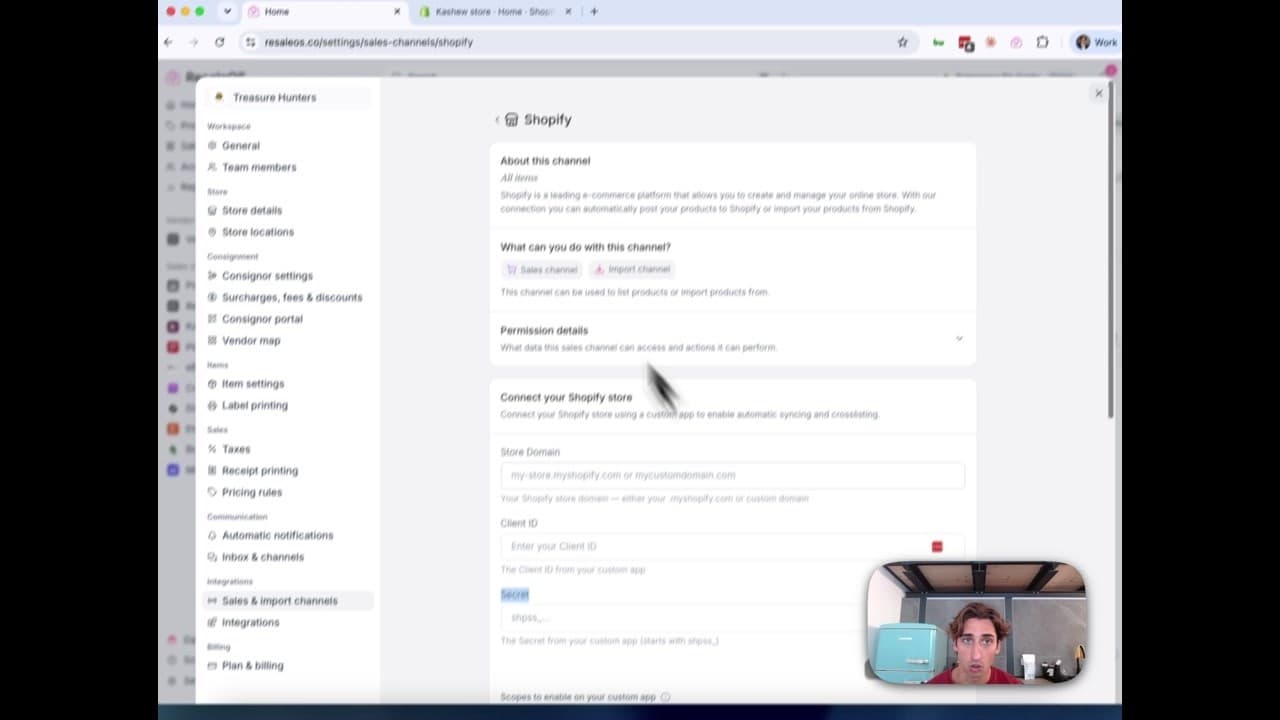
How to Connect Your Shopify Store to ResaleOS
Create a Shopify custom app, paste in the scopes ResaleOS gives you, and connect your store in a few minutes.
Vendoo → ResaleOS
How to move from Vendoo to ResaleOS
Moving from Vendoo takes about an hour, and nothing you have live gets re-listed or delisted. Connect the marketplaces you already sell on so your listings arrive with every photo, upload one export file from Vendoo for your drafts, labels and costs, and keep cross-listing from ResaleOS.
AI image editing
How image editing works — background removal, AI staging & batches
Remove backgrounds, add shadows, restage a product from a prompt, crop, colour-correct and watermark — on one photo or a whole batch. Which AI models run each job, what counts against your monthly photo edits, and how recipes replay your house style.
What we cover in a demo
ResaleOS overview — what we cover in a demo call
The same walkthrough we give on a live demo call, recorded so you can watch it now: inventory, building a listing from photos, the pricing engine, crosslisting, sales from every channel, your storefront, consignors and what it costs. Seven minutes, full transcript included.
Import stock photos
How to import stock photos from the web
Type a product title and ResaleOS finds the same item on eBay, Poshmark, Mercari, Etsy and more — then lets you import their photos in one tap. Plus barcode lookup, Upload by URL, plan limits, and when to shoot your own photos instead.
Common questions, answered
Common questions — imports, marketplace limits & getting help
Quick answers to the questions we hear most: importing products from a CSV or spreadsheet, why Mercari listings ship free, Vinted availability, fixing Shopify permission pop-ups, backfilling past sales, eBay fees, the referral program, and where to get help.