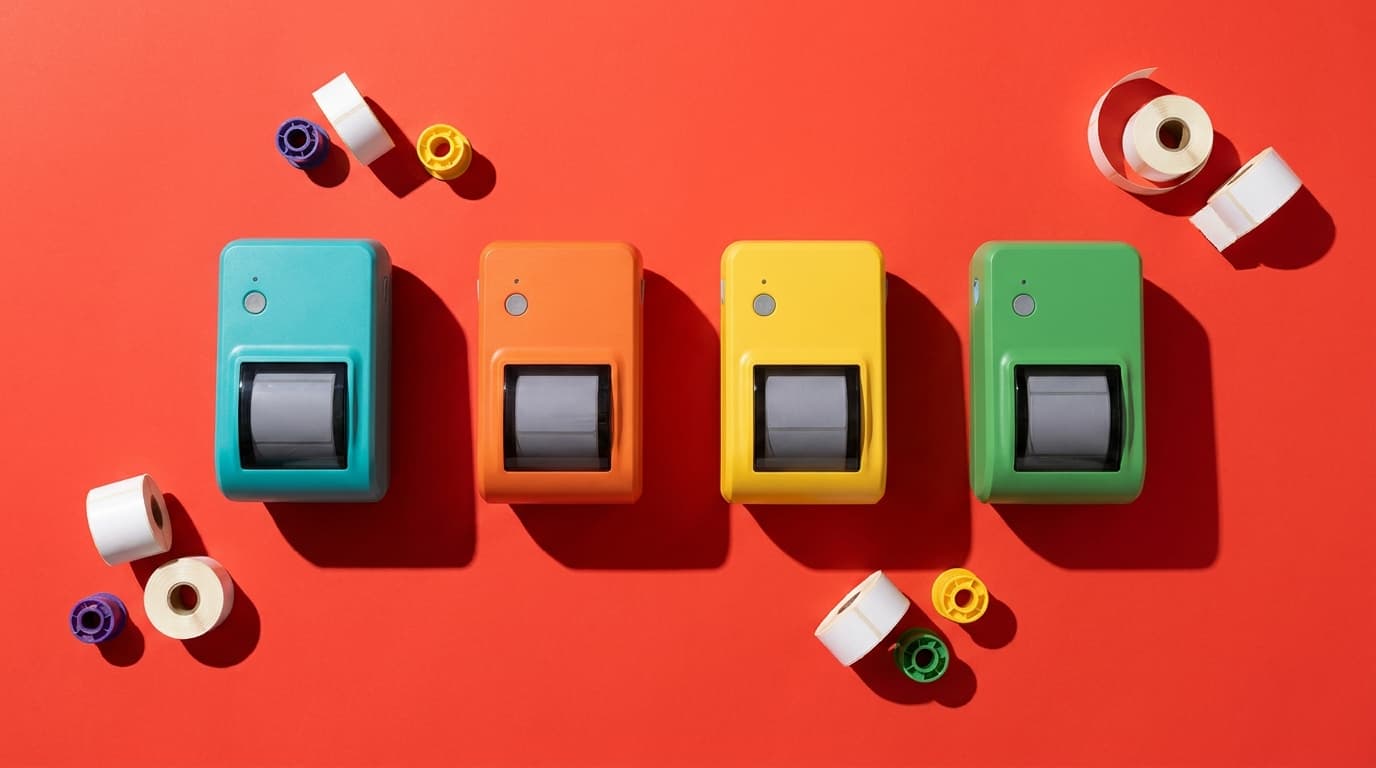
The fastest way to waste money on the best label printer for resellers search is to compare box prices and ignore label cost. At 10,000 labels, a DYMO 550 priced at $110.80 with roughly $0.04 proprietary labels lands at about $510.80. A Rollo USB at $199.99 with generic $0.02 labels lands at about $399.99, as of September 2026.
That is the whole article in miniature. The cheap printer is not always the cheap printer.
So here’s the hardware guide with no affiliate links. We sell software, not printers, and ResaleOS supports DYMO, Rollo, Zebra, Brother, and Munbyn. That is our bias, stated plainly. We still don’t get paid if you buy any of them.
My short version: if you print mostly 4x6 shipping labels and want the least drama, buy a Rollo. If you run a real shop with heavy daily tag volume and can justify commercial hardware, Zebra belongs on the shortlist. If you want cheap and cheerful, Munbyn has earned its place. If you’re eyeing newer DYMO models, price the labels before you let the box price talk you into a bad decision.

The honest shortlist for the best label printer for resellers
Here are the verified numbers and the catches that matter.
| Printer | Verified price | Label system | What stands out | Main catch |
|---|---|---|---|---|
| Rollo USB | $199.99 | Open | Works with standard 4x6 fanfold stock; supports widths from 1.57 in to 4.1 in | Higher upfront cost than bargain printers |
| Rollo Wireless | $279.99 | Open | Same open-media appeal, plus wireless | You pay $80 more for convenience |
| DYMO LabelWriter 550 | $110.80 | Proprietary on newer models | Low entry price | Chip-locked labels on newer models can double per-label cost |
| DYMO LabelWriter 450 Turbo (renewed) | $225.00 | Open on older model | Older DYMO avoids newer label lock-in | Driver and software friction remains common |
| Munbyn RealWriter 403B / RW403B | $79.99 | Generally open | Very low upfront cost | Can be pickier with some non-Munbyn or transparent media |
| Zebra ZD421 | Current September 2026 retail price not independently verified | Varies by configuration and media setup | Commercial reputation and deep support ecosystem | Price transparency is worse than it should be |
| ResaleOS | $39.99/mo Crosslister, $89.99/mo Reseller, $219.99/mo Pro; every plan is $1 for the first 30 days | Software support for DYMO, Rollo, Zebra, Brother, and Munbyn | Crosslisting, POS, consignor splits, storefront, and label printing in one system | It is not a printer; it matters if your printer has to live inside a real operation |
Those Rollo prices were verified as current in September 2026. Munbyn’s widely available number is $79.99 for the RealWriter 403B / RW403B, which is a lot lower than the old $160 to $190 chatter still floating around online. On Zebra, I’m not going to fake certainty: the often-repeated ZD421 price range could not be independently verified from an authoritative dated September 2026 source, so it stays unverified here.
Rollo vs DYMO: the first-year cost problem
A cheap printer with expensive labels is not cheap. It is a financing trick in a cardboard box.
The cleanest total-cost comparison we can verify is open generic 4x6 stock versus DYMO’s newer proprietary setup. Generic 4x6 thermal labels can run about $0.02 per label. DYMO-branded equivalents for chip-locked newer models can run about $0.04 per label. That is double.
| Scenario at 10,000 labels | Printer price | Label cost per label | Label spend | First-year total |
|---|---|---|---|---|
| Rollo USB + generic open 4x6 | $199.99 | $0.02 | $200 | $399.99 |
| Rollo Wireless + generic open 4x6 | $279.99 | $0.02 | $200 | $479.99 |
| DYMO 550 + DYMO-branded chip-locked stock | $110.80 | $0.04 | $400 | $510.80 |
| Munbyn 403B + generic open 4x6 | $79.99 | $0.02 | $200 | $279.99 |
That table is why most “best printer” roundups are useless. They compare the box price, then stop right before operating cost matters.
At 10,000 labels, a DYMO 550 comes out more expensive than a Rollo USB. Not by vibes. By math.
The obvious caveat: if you will never get near 10,000 labels, the difference may not matter yet. If you’re shipping 30 items a month from a spare bedroom, printer math is probably not where your margins are going. Workflow discipline matters more. If that is your stage, you may get more value from tightening your listings and sell-through, including how you increase eBay sales.
But for a booth operator, consignment store, or reseller doing real volume, first-year cost is not a side note. It is an operating expense.
The best label printer for resellers depends on what you print
Most ranking pages assume one job: 4x6 shipping labels.
That works for generic e-commerce. It misses what resale businesses actually print.
Resellers and consignment stores often need a thermal printer for reselling that handles more than postage. You may need shipping labels, adhesive barcode labels, consignor IDs, booth IDs, and a label printer for consignment tags that plays nicely with hang tags, butterfly tags, or jewelry barbell labels.
Here’s the practical split:
- Rollo: best fit when you want open-stock flexibility and mostly live in the 4x6 world, with some room to work across widths down to 1.57 inches.
- DYMO newer models: workable if your exact workflow fits the ecosystem and you accept proprietary rolls. Bad fit if you do not want your printer deciding which labels you are allowed to buy.
- Munbyn: attractive if budget matters most and you can tolerate some media testing.
- Zebra: the adult answer for stores printing all day, especially when uptime and support documentation matter more than a low entry price.
This is also where software matters. In ResaleOS, label printing sits inside the rest of the operation: crosslisting to 28 sales channels, automatic delisting when an item sells anywhere, consignor commission splits and payout tracking, a branded storefront, and for stores that need it, POS with Stripe, Square, or Clover card readers. The printer is the hardware. The workflow is the product. You can see how ResaleOS is built for that mix.

Open labels vs proprietary labels: decide once
If you remember one thing from this guide, make it this: open media is freedom.
Rollo’s case is simple because it matches real life. Its printers work with standard 4x6 fanfold stock and do not restrict you to proprietary labels. You can shop around, test stock, and keep consumables from becoming a tax on growth.
DYMO goes the other direction on newer models like the 550 and 5XL. The embedded chip means DYMO-branded labels only. Reviewers complain about this for a reason.
Older DYMO models like the LabelWriter 450 are different. They are generally noted as not tying users into proprietary labels. So if you already own an older DYMO and it behaves, keep using it. This is not an order to throw working hardware away. It is a warning not to buy into newer lock-in casually.
Munbyn sits in the practical middle. Its printers are generally considered flexible about media, though support materials also note that transparent or non-Munbyn labels can contribute to misfeeds. Translation: usually workable, sometimes picky. At $79.99, that can still be a fair trade.
Driver pain is real, and DYMO has earned its reputation
Nothing makes a shipping station feel cursed faster than a printer that worked yesterday and now wants a software séance.
DYMO has had continuing driver and software headaches, including recent updates to its driver site as of March 12, 2026. Windows and macOS updates have both been noted to break compatibility, especially across LabelWriter 450, 550, and 4XL setups. Conflicts between DYMO Connect and Label Software v8 also keep showing up.
This matters more in resale than generic office reviews admit. If you print one label a day, reinstalling a driver is annoying. If you print order batches, intake tags, or re-tags during a floor reset, it becomes a labor cost.
Rollo, Zebra, and Munbyn all have support resources and driver downloads. Zebra in particular has a deep troubleshooting ecosystem because it lives in more industrial environments. That does not mean zero problems. It means when problems happen, you are rarely the first person to have them.
I’d rank driver-risk tolerance like this:
- Rollo for most resellers who want the least drama
- Zebra if you want commercial-depth support and can spend up
- Munbyn if budget matters and you can tolerate some tinkering
- Newer DYMO if you enjoy asking “why is this like this?”
If your business runs through inventory and POS software, reliability matters even more. ResaleOS supports DYMO, Rollo, Zebra, Brother, and Munbyn because real stores do not all standardize on one brand. The point is to keep the printer from becoming the diva in the cast.
Scan-rate reliability: the part packing-bench reviews skip
A label that prints is not automatically a label that scans well after two days on a clothing rack.
That is the resale wrinkle generic e-commerce guides miss. In a consignment shop or vendor mall, tags get handled, bent, rubbed against hangers, and occasionally hit with spilled coffee. Scan-rate reliability is not only about print darkness on a fresh adhesive label. It is about whether the barcode still reads after ordinary retail abuse.
I’m not going to invent lab percentages we do not have. What we can say is this: the more varied your media, the more you should value predictable feed behavior, clean alignment, and easy stock sourcing. That pushes most shops toward Rollo or Zebra, with Munbyn as the value pick if you test your exact stock before committing. Newer DYMO’s label lock-in hurts here too, because one label ecosystem gives you fewer options when a stock underperforms on-rack.
If your operation depends on barcode speed at checkout, think beyond the printer. Label quality, scanner tolerance, and your POS all have to cooperate. That is why hardware decisions age badly when they sit on top of spreadsheets and disconnected tools. We covered the stack-level math in The Real Cost of a Consignment Store Hardware Stack.
My actual picks by business type
Best label printer for resellers shipping from home: Rollo USB
At $199.99, it is not the cheapest upfront. It is still the safest default recommendation for serious home-based resellers because it uses open stock and avoids the DYMO lock-in tax. If you ship steadily and want fewer surprises, this is the default pick.
Best wireless pick: Rollo Wireless
At $279.99, you are paying $80 over the USB model for convenience. That may be worth it if your station layout is awkward or you print from multiple devices. If not, keep the $80 and buy labels.
Best budget thermal printer for reselling: Munbyn RealWriter 403B / RW403B
At $79.99, Munbyn wins the entry-price conversation by a mile. If you are scaling carefully, this is the value play. Test the exact stock you plan to use, especially if you print more than basic adhesive labels.
Best for heavier shop use: Zebra ZD421
Zebra is what I would look at for higher-volume in-store use where uptime and support matter more than sticker shock. Current retail pricing could not be independently verified as of September 2026, so I am not putting a tidy number on it. The recommendation stands anyway.
Who should still consider DYMO
If you already have an older LabelWriter 450 and it works, keep it. If you are shopping newer DYMO because the entry price looks low, run the label math first. In a rollo vs dymo decision for most resellers, I would take Rollo unless you have a specific reason not to.
What this means if you run a consignment store or vendor mall
You are not buying a printer for vibes. You are buying it for throughput.
If you manage consignor inventory, booth IDs, rack tags, online orders, and in-store checkout, your printer choice should follow the workflow with the highest failure cost. In most stores, scan reliability and consumables flexibility matter more than marketing copy.
That is also where the label-printer question runs straight into software. A printer is one component. You still need inventory, consignor splits and payouts, POS, a storefront, and if you sell online, crosslisting that does not leave stale listings behind when an item sells.
ResaleOS is built for that exact mix. The Crosslister plan is $39.99/month and includes unlimited sales channels, automatic delisting, unlimited AI cataloging, 200 cross-listing exports per month, unlimited consignors with commission splits and payout tracking, a branded ecommerce storefront, and label printing with DYMO, Rollo, Zebra, Brother, and Munbyn support. The Reseller plan is $89.99/month and adds full POS, receipt printing, a custom domain, consignor portal, vendor or booth store map with rent tracking, 500 exports per month, and 3 team seats. The Pro plan is $219.99/month and adds unlimited exports and team seats, automatic sales tax, a public REST API with signed webhooks, and a dedicated account manager. Every plan is $1 for the first 30 days. There is no free trial, and a card is required at signup.
That is the difference in kind: ResaleOS is the only tool in this space that combines crosslisting with a full retail operating system. If you are a solo closet seller who will never need POS or consignors, a dedicated crosslister can start cheaper. If you sell in person, manage consignors, or are tired of duct-taping together a crosslister, POS, and spreadsheet stack, one system ages better. Here is the more complete consignment software comparison.
And if you are pushing consignor inventory online, your label workflow is part of your inventory workflow. That is where selling consignment inventory online stops being a strategy deck and becomes operations.
Frequently asked questions
What is the best label printer for resellers in 2026?
For most serious resellers, Rollo USB is the safest default pick because it uses open labels and avoids the ongoing cost trap of proprietary stock. For budget buyers, Munbyn RealWriter 403B / RW403B is the cheap entry point. For heavier shop use, Zebra deserves a look.
Is Rollo better than DYMO for resellers?
Usually, yes. In most rollo vs dymo comparisons, Rollo wins on label flexibility because it supports open stock. Newer DYMO models like the 550 use chip-locked labels, which can push label cost from about $0.02 to about $0.04 each.
What is the best label printer for consignment tags?
It depends on your tag stock, but shops that need flexibility should favor printers that are not locked to proprietary media. For a label printer for consignment tags, that usually makes Rollo, Zebra, or a tested Munbyn setup more attractive than newer DYMO models.
Is Munbyn good enough for a resale business?
Yes, for many sellers. At $79.99 for the RealWriter 403B / RW403B, it is the value choice. The tradeoff is that some media setups may need more testing, and support is less proven than the best-known premium options.
Do I need a thermal printer for reselling if I only sell part-time?
Not always. If your volume is low, this may not be the first bottleneck to fix. But once you are shipping consistently or printing tags in batches, a dedicated thermal printer for reselling usually pays back in time and frustration. If this article did its job, you should now be thinking less about “top rated” and more about open labels, driver pain, and what 10,000 labels actually cost. If you want the printer to live inside one sane workflow, see every platform and hardware ecosystem ResaleOS supports. We support DYMO, Rollo, Zebra, Brother, and Munbyn because the goal is not to win a printer argument. It is to get the tags out, the items listed, and the sale closed.